
It's a moment that can make your heart stop. You go to open a critical business file, a cherished family photo album, or that nearly-finished school project, and… nothing. It’s just gone. For anyone in Hamilton, from small business owners on Locke Street to students at McMaster University, that sinking feeling is all too familiar. When a hard drive suddenly fails or a file gets accidentally deleted, professional data recovery in Hamilton is often the only way back.
That Sinking Feeling When Your Files Disappear
Losing your digital life feels deeply personal. One minute, everything you need—invoices, assignments, photos—is right where it should be. The next, it has vanished into thin air. This guide is here to cut through the noise and anxiety, giving Hamilton residents a clear path to getting it all back. We’ve seen it all: the clicking hard drive, the corrupted USB stick, and the external drive that your computer suddenly refuses to see.
Our goal is to turn that initial wave of panic into a calm, straightforward plan. We want to give Hamilton residents the right information to make smart decisions and safely recover their valuable data.
Navigating the Stress of Data Loss
When you realize your files are gone, the first instinct is to panic and start trying every fix you can find online. Stop. This is often the worst thing you can do. It’s a bit like trying to perform surgery after watching a YouTube video—you’re far more likely to make the problem worse. The most important step is to pause, take a breath, and figure out your next move in the Hamilton area.
Finding the right local expert is the single most critical decision you can make at this point. For more on this, our guide to finding computer help near me in Hamilton offers some great advice on what to look for in a trustworthy professional.
Data loss isn't just a minor tech hiccup; it can completely derail your work or personal life. The leading causes are almost always human error, good old-fashioned hardware failure, or software corruption—together, they account for the vast majority of cases in Hamilton and beyond.
What This Guide Will Cover
We've designed this guide to be your go-to resource for everything related to data recovery in the Hamilton area. We'll start by digging into why data disappears in the first place, then give you a critical list of do's and don'ts that can make or break a successful recovery.
Here’s what you’ll learn:
- The Root Causes: We’ll help you understand if you’re dealing with physical damage, a logical file system error, or a simple mistake.
- Immediate Actions: A quick-reference checklist of what you should do the second you notice data is missing.
- Professional Services: A look behind the curtain at how expert data recovery works in Hamilton, from the initial diagnostic to getting your files back safely.
- Realistic Expectations: An honest breakdown of success rates, how long it takes, and the factors that determine the final cost.
By the time you finish reading, you'll have a solid grasp of the entire process and feel much more confident about how to get your files back.
What Causes Data Loss and What to Do Right Now
That sinking feeling when a file, or worse, an entire drive, disappears is something many of us know all too well. Understanding what just happened is the first, most important step toward getting your data back. For most people here in Hamilton needing data recovery, the issue usually boils down to one of three culprits.
Figuring out which one you're dealing with is critical because the wrong move can make things much worse. Think of it like a doctor needing to diagnose an illness before they can treat it—your data deserves that same level of care.
The Three Main Culprits of Data Loss
Most of the time, data loss incidents can be traced back to one of these three problems. They can sometimes overlap, which is why getting a professional diagnosis from a Hamilton-based expert is often the smartest move you can make.
- Physical Damage: This one's pretty straightforward. It's when the device itself breaks. We see it all the time with our Hamilton clients: a dropped laptop, a phone that took a swim, or an old external hard drive that just gave up after years of loyal service. The moving parts have failed, and the device is physically broken.
- Logical Failure: Here, the device is mechanically fine, but the software that organizes all your files has become corrupted. It's like the library is still standing, but the card catalogue has been scrambled. This is often caused by a virus, a sudden power cut while you were saving something, or a software bug. Your files are likely still there, but the system has lost the map to find them.
- Human Error: Let's be honest, this is the most common and often the most frustrating one. It's as simple as accidentally deleting a folder, formatting the wrong drive, or saving over a critical document. It happens to everyone in Hamilton, and studies consistently show it's a huge factor in data loss cases.
Why Your First Move Is the Most Important
When a traditional hard drive (HDD) starts to fail, its internal parts are incredibly fragile. Picture the read/write head that accesses your files as a tiny needle on a record player, floating just nanometres above the spinning platters where your data lives.
If that drive gets dropped or jolted, the head can crash down, carving microscopic scratches into the platter's surface. If you keep trying to turn it on, that damaged head will scrape across the platters over and over, literally grinding your precious files into digital dust. This is why the golden rule of data recovery is to stop using the device immediately.
Crucial Takeaway: Powering down a failed device isn't giving up. It's the single most important thing you can do to protect what’s left of your data and give it the best chance of a successful recovery here in Hamilton.
Immediate Steps for Data Loss: What to Do vs. What to Avoid
When you realize your data is gone, panic can set in and lead to bad decisions. Firing up some DIY recovery software or constantly rebooting a clicking hard drive can quickly turn a recoverable problem into a permanent one.
To help you out, we've put together a clear checklist of what you should—and shouldn't—do the moment you suspect data loss.
Immediate Steps for Data Loss What to Do vs What to Avoid
| Action | Why It's Important |
|---|---|
| DO Power Down the Device | This stops further mechanical damage on HDDs and prevents the operating system from overwriting deleted files on SSDs. |
| DON'T Run DIY Recovery Software | These programs can accidentally write over the very data you’re trying to get back, especially if there's an underlying physical problem. |
| DO Note What Happened | Jot down everything that led up to the failure. Did the power go out? Did you hear a weird noise? These details help a professional diagnose the issue much faster. |
| DON'T Open the Hard Drive | A hard drive is like a cleanroom in a box. Opening it anywhere else exposes the platters to dust, which can cause irreversible damage. |
| DO Contact a Professional | Getting a professional assessment is the safest, most reliable way to figure out what went wrong and how to fix it for data recovery in Hamilton. |
Following these guidelines dramatically improves your odds of getting your data back safely. It's also critical to consider specific threats; if you suspect a virus is the cause, understanding the process for a professional ransomware cleanup in Hamilton can be incredibly helpful. Taking the right first steps is everything.
How Professional Data Recovery in Hamilton Works
When your data goes missing and you know a DIY attempt is too risky, calling in a professional is your safest bet. For folks here in Hamilton, the whole process of professional data recovery can feel a bit like a black box—something you only hear about in movies or for massive corporate disasters.
The reality is much simpler. It's a precise, accessible service meant for everyone in the Hamilton region, whether you've lost a family photo album on a corrupted USB stick or critical business files on a failed server.
The most important thing to understand is that not all data loss is created equal. Getting files off a clicking hard drive (an HDD) is a completely different ball game than salvaging photos from a solid-state drive (SSD) your computer suddenly won't recognize. Each scenario demands a unique set of tools, specific expertise, and a carefully controlled environment to give you the best shot at getting your files back.
This diagram shows the three main culprits we see in data recovery in Hamilton.
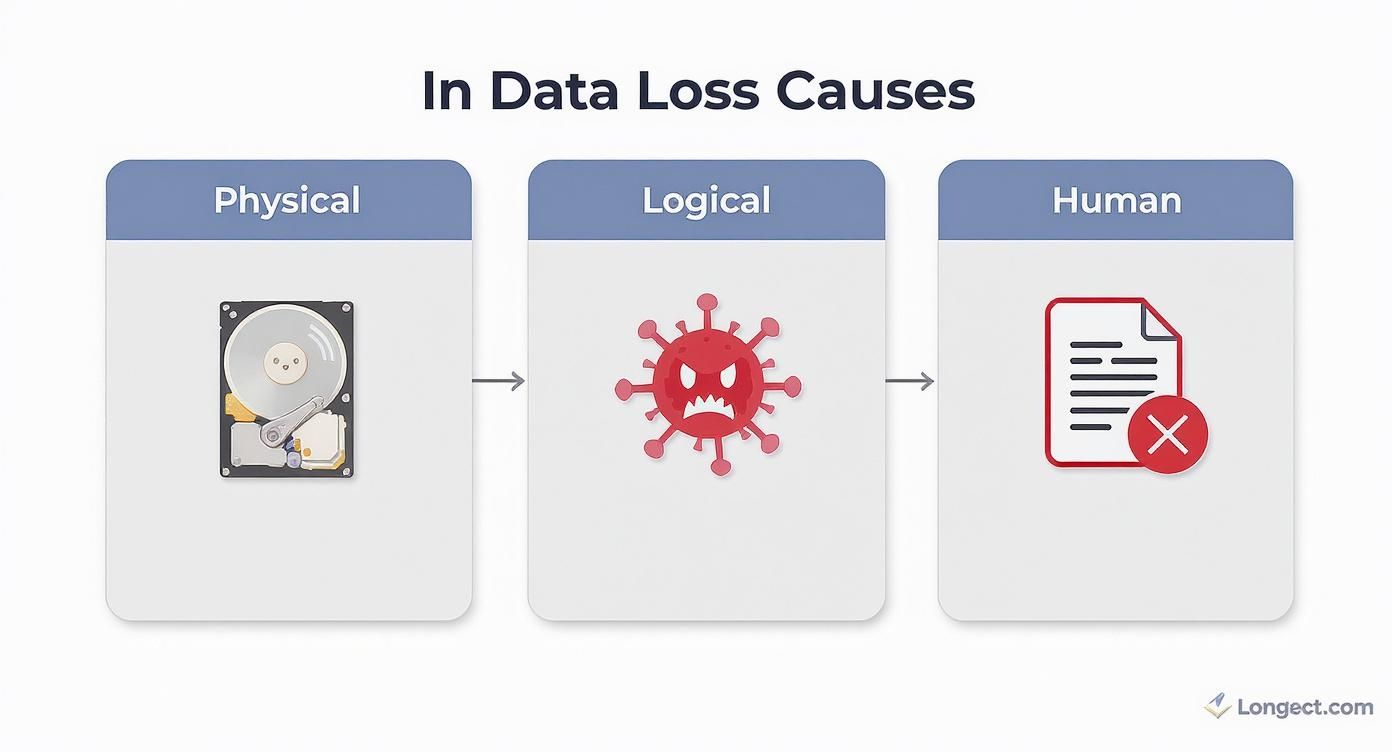
As you can see, the root cause—whether it’s physical damage, a logical glitch, or simple human error—is what tells a technician exactly how to approach the problem.
The Initial Diagnostic Phase
The first, and most crucial, step in any professional data recovery in Hamilton is a careful diagnosis. A trained technician needs to figure out exactly what went wrong without making the situation any worse. This isn't just about plugging it in and seeing what happens; it's a methodical evaluation.
For example, if we suspect a hard drive has physical damage, the last thing we’ll do is power it on repeatedly. That’s a recipe for disaster. Instead, it gets assessed in a specialized lab to prevent further harm. This initial check-up is everything—it creates the roadmap for the entire recovery by answering the big questions: Is the damage physical or logical? What parts have failed? And what's our best plan of attack to get your data back?
Inside a Cleanroom Environment
When a drive is physically damaged, the next stop is often a cleanroom. Think of it as an operating room for your hard drive. It's a controlled lab where the air is constantly filtered to remove microscopic particles like dust and pollen.
A single speck of dust on a hard drive's platter is like a boulder on a highway. As the platter spins at thousands of RPMs, that speck can grind into the surface, destroying your data for good. A certified cleanroom is absolutely non-negotiable for any internal drive work.
Inside this sterile space, our Hamilton technicians can safely open the drive to perform what is essentially microsurgery. This could involve:
- Replacing Read/Write Heads: These are the tiny components that read and write data. If they've failed, we can swap them with a perfect match from a donor drive.
- Swapping Controller Boards: A power surge can fry the circuit board on the outside of your drive. Sometimes, a simple board swap is all it takes to regain access.
- Platter Swaps: This is a last resort for extreme cases, where we physically move the data platters into a healthy donor drive to be read.
Specialized Tools and Techniques
Beyond the cleanroom, we use specialized hardware and software that you just can't buy off the shelf. These tools can clone a failing drive sector by sector, reading data directly from damaged areas that your computer's operating system would just give up on. To see how these advanced tools are put to work, you can learn more about the specifics of hard drive recovery in Hamilton and the complex cases we handle.
For logical problems, like a corrupted file system or an accidentally formatted drive, we use advanced software to rebuild the digital puzzle and find the "lost" data. Unlike consumer-grade programs that can accidentally write over the very files you're trying to save, our professional tools work on a perfect clone of your drive. This keeps your original device safe and untouched, maximizing the chance of a successful recovery.
What to Expect: Success Rates, Timelines, and Costs
https://www.youtube.com/embed/vqOJyB8ZVRk
When you're hit with data loss, three questions are always top of mind: Can you get my files back? How long is this going to take? And what's it going to cost me?
Let's be upfront: the answer to all three is, "It depends." Just like a Hamilton mechanic can't quote you a price to fix your engine without looking under the hood, we can't give a precise estimate without first diagnosing the drive. Managing your expectations is a huge part of making this a less stressful experience, and that starts with total transparency.
A simple case of accidentally deleting a folder has a very different outlook than a hard drive that’s been clicking and grinding. One might be sorted out quickly, while the other could be a lost cause.
What Determines Data Recovery Success Rates?
The odds of a successful recovery really boil down to one thing: the type and severity of the damage. For anyone needing data recovery in Hamilton, understanding this is key to setting realistic expectations.
- Logical Failures: This is stuff like accidental deletion, formatting a drive by mistake, or file system corruption. These cases have the highest success rates, often climbing above 95%. As long as you haven't written a bunch of new data over the old files, there's an excellent chance of getting everything back.
- Mechanical Failures: This is when physical parts break down—a seized motor or failed read/write heads. The success rate here is still surprisingly high, usually between 80% and 90%, but only if the platters holding your data are still in good shape. This kind of work absolutely requires a professional cleanroom.
- Severe Physical Damage: If a drive's platters are shattered, deeply scratched, or contaminated, the chances of a full recovery plummet. These are the toughest cases, and while we can sometimes pull off a partial recovery, success is never a guarantee.
How Long Does the Recovery Process Take?
Data recovery isn't instant. It’s a meticulous process that demands patience and precision. A typical job can take anywhere from a few days to over a week, all depending on how complex the situation is.
Here in Hamilton, a standard recovery project usually breaks down like this:
- Initial Diagnosis (24-48 hours): First things first, we need to do a thorough evaluation to figure out exactly what went wrong. This tells us the best way to move forward.
- Recovery Work (2-7 days): A simple logical recovery might only take a couple of days. A more complex physical recovery, especially one that needs specific donor parts, will naturally take longer.
- Data Verification and Return: Once we've extracted the data, we verify its integrity to make sure the files work. Then, we securely transfer everything to a new, healthy drive for you.
Breaking Down the Cost of Data Recovery
The cost of professional data recovery in Hamilton is tied directly to the complexity of the work, not the amount of data. You're not paying per gigabyte; you're paying for the expert labour, specialized equipment, and cleanroom facilities required to access your files.
For a deeper dive into our pricing, you can learn more about the factors influencing hard drive data recovery cost.
The investment in professional recovery reflects the intricate work involved. It covers the cost of sourcing rare donor parts, the use of a certified cleanroom environment, and the hours of expert technical labour needed to perform delicate repairs and data extraction.
At the end of the day, every situation is unique. That’s why any trustworthy local Hamilton expert will start with a no-obligation quote after the initial diagnostic. This gives you a clear picture of the likely success rate, timeline, and total cost before you commit to anything.
A Real-World Lesson for Hamilton: Why Data Integrity Matters
We often talk about data loss as a personal problem or a business inconvenience. But what happens when it paralyzes an entire city? The abstract threat of losing critical information became a stark reality right here in Hamilton, showing everyone why professional data recovery and solid backups are absolutely essential.
This isn't just theory. The major cybersecurity incident that hit the City of Hamilton is a perfect, local example of how quickly data inaccessibility can snowball. It proves that the principles of keeping data safe are the same whether you're running a city, a small business on James Street North, or just trying to protect your family photos in your Westdale home.
How a City Came to a Standstill
It all went down in February 2024. The City of Hamilton was hit by a serious ransomware attack. Attackers found a weak spot, got in, and encrypted a massive amount of the city's data. They even tried to wipe out the backups. The fallout for our city was immediate: public services ground to a halt. Phone lines went dead, payment systems shut down, and the operational mess took months to sort out.
The big takeaway here? Your data is only as safe as its weakest link. For any business or individual in Hamilton, this is a wake-up call. You need layers of protection, from a secure network to just being smart about what you click on, to stop a small problem from becoming a total disaster.
The Power of a Good Backup
The attackers wanted a huge ransom—$18.5 million—to unlock the city's files. But Hamilton was able to say no. Why? Because they had one thing the criminals couldn't completely destroy: well-maintained, separate system backups.
This was the city's saving grace. Instead of being held hostage, they could begin the slow, careful work of rebuilding from their own clean data. It's a powerful reminder for every Hamilton resident that a reliable backup strategy is your best and final defence when everything else goes wrong.
The ability to restore from a clean backup is often the only thing standing between a manageable recovery process and a devastating financial or reputational loss. It turns a potential disaster into a solvable problem.
The True Cost of Getting Back Online
Even though the city avoided paying the ransom, the recovery process wasn't cheap. The response cost roughly $18.3 million CAD, covering everything from cybersecurity experts and system restoration to beefing up their security for the future. You can dig into the details yourself by reading the city's public updates on the cyber incident affecting Hamilton.
This local story makes the value of professional data recovery in Hamilton crystal clear. Whether you're facing a massive cyberattack or just a single failed hard drive, the cost of expert help and proactive planning is a drop in the bucket compared to the crippling expense of permanent data loss. The City of Hamilton learned this lesson the hard way, and it’s one we can all learn from.
Proactive Steps to Protect Your Data from Future Loss
Once you’ve gone through the stress of a data loss scare, the last thing you want is a repeat performance. The best way to handle data recovery in Hamilton is to build a defence so strong you never actually need it. This means shifting from reactive panic to a proactive mindset.
For folks here in Hamilton, this isn't about setting up some wildly complicated technical system. It’s about getting into a few smart, consistent habits that will shield your data from the most common disasters.

Implement the 3-2-1 Backup Rule
The absolute cornerstone of any solid data protection strategy is the 3-2-1 backup rule. It’s a beautifully simple concept that creates layers of protection, making it incredibly tough for a single point of failure to wipe out your important files.
Think of it like diversifying your investments, but for your data. You wouldn't put all your money in one stock, so why would you trust all your precious photos and documents to a single hard drive?
The 3-2-1 rule is simple yet powerful: Keep three copies of your important data, on two different types of media, with at least one copy stored off-site.
Let’s break that down with a real-world Hamilton example:
- Three Copies: You have the original file on your computer, plus two separate backups.
- Two Media Types: You could keep one backup on an external hard drive you own and another in a cloud service like Google Drive or Dropbox. This protects you if one type of medium fails.
- One Off-Site Copy: Your cloud backup automatically takes care of this. If you prefer using two physical drives, you could keep one at home in Ancaster and the other at your office downtown. That way, a local disaster like a fire or flood won't destroy all your copies.
Setting this up is easier than you think. Modern computers have built-in tools that can automatically back up your files to an external drive every day without you having to do a thing. If you're not sure where to start, our guide on how to properly back up your computer files can walk you through it.
Adopt Essential Security Habits
Backups are your safety net, but good daily habits can stop many problems from ever happening in the first place. These simple practices dramatically cut your risk of data loss from malware, scams, or software glitches.
Key Security Practices
- Use Reputable Antivirus Software: Think of a quality antivirus program as the security guard for your digital life. It stands on the front line, blocking malware, spyware, and ransomware that want to corrupt or encrypt your files.
- Keep Software Updated: Developers constantly release updates that patch security vulnerabilities. Keeping your operating system and apps up-to-date is like locking the doors and windows of your house—it closes off easy entry points for attackers.
- Recognize Phishing Scams: Be suspicious of unexpected emails or messages that demand personal info or push you to click a link. These are almost always attempts to fool you into installing malware or giving away your passwords.
For Hamilton businesses that rely on cloud services or virtual servers, the stakes are even higher. Understanding the nuances of preventing data loss in virtualized environments is a crucial step for any IT manager or business owner.
By combining a strong backup strategy with smart security habits, you can stop worrying about what might happen and feel confident that your digital life is safe.
Your Hamilton Data Recovery Questions Answered
Even with a plan in place, it's natural to have questions when you're facing data loss. We've put together some of the most common things we hear from our clients in Hamilton to give you clear, straight-up answers and help you figure out what to do next.
Can You Get Files Back From a Physically Busted Hard Drive?
In most cases, yes. When a drive is physically damaged—say, from a drop or a power surge—it has to be opened up in a special, dust-free environment called a cleanroom. This is non-negotiable, as even a single speck of dust can wreck the sensitive components inside.
Our Hamilton technicians can often swap out broken parts, like the read/write heads, to get at the data on the platters. The real make-or-break factor is the condition of those platters, but with the right professional tools, recovery is usually possible.
How Long Does Data Recovery Usually Take?
Honestly, it varies a lot. A straightforward logical recovery, like undeleting a folder you accidentally wiped, can sometimes be done in just a few days.
On the other hand, a complex physical recovery could take a week or even longer. This is especially true if we need to track down specific matching parts from a donor drive. Any trustworthy data recovery service in Hamilton should give you a solid time estimate after they've done a proper diagnostic.
Will My Data Be Kept Private During the Recovery?
Absolutely. Confidentiality is a huge part of what we do. Professional recovery labs in Hamilton operate under strict privacy policies and non-disclosure agreements. Your files are handled in a secure lab, and our technicians only access the bare minimum needed to perform the recovery.
Before you hand your device over to anyone, it's smart to ask about their privacy policy and security measures. Protecting your personal or business information should always be the first priority.
For businesses, having a comprehensive data breach response plan in place is the best way to manage the fallout and streamline recovery when data loss strikes.
Should I Try DIY Recovery Software First?
We really recommend you don't. If the drive has a physical issue, running any kind of software can make things so much worse. You could cause the read heads to scrape across the platters, turning a recoverable situation into a permanent loss.
Even with logical problems, these programs can sometimes overwrite the very files you're trying to get back. The safest first move is always a professional diagnosis with a local Hamilton expert.
If you're staring at a dead drive, don't risk losing your data for good. Contact Klimka Computer Solutions for a professional, no-obligation assessment. Our team is here to provide fast, secure data recovery for everyone in Hamilton. Visit us at https://klimkacomputersolutions.com to get started.
One Response
[…] you want to dive deeper into how it all works, our guide on professional data recovery services in Hamilton breaks down the entire […]