
That sinking feeling in your stomach when a file vanishes is something we've all felt. It’s a mix of panic and frustration. If you're looking for data recovery in Hamilton, Ontario, your first move is the most important one—and it's often to do nothing at all.
What To Do First When You Lose Data In Hamilton
When your data disappears, instinct might tell you to start clicking around, rebooting, or even downloading some DIY recovery software you found online. Fight that urge. These actions can actually write new information over the very files you're trying to save, pushing them further away from recovery or erasing them for good.
Think of it like digital first aid. The immediate goal is to stop the bleeding and stabilize the patient—your device—before a specialist in Hamilton can step in.
The single most critical step is to power down the affected device immediately. If you hear any strange clicking, whirring, or grinding noises, that’s a major red flag. Those sounds often mean a physical hard drive failure is in progress, and every second it stays on could be causing more permanent damage.
This infographic breaks down the essential first steps when you realize your data is gone.
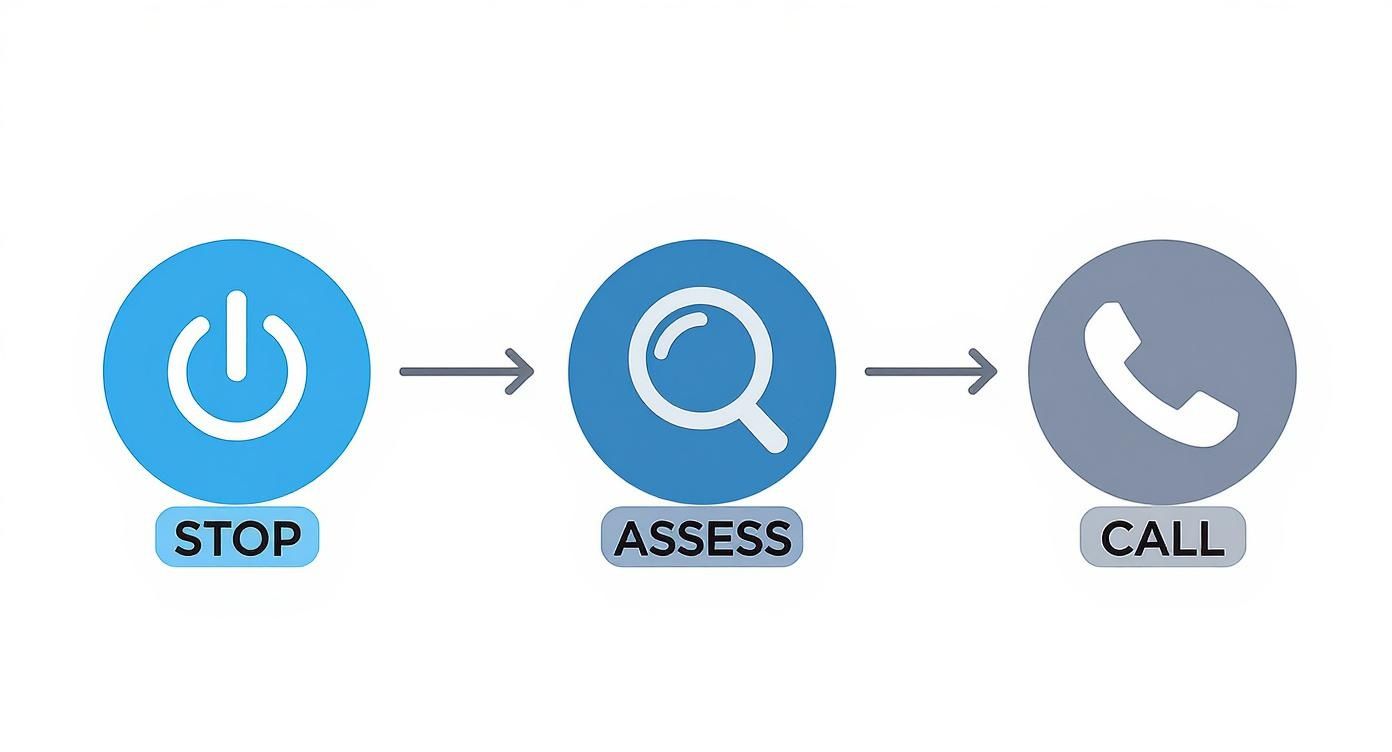
The message is simple but powerful: Stop, Assess, and Call. Following this sequence dramatically increases the odds of getting your files back.
Once the device is off, take a deep breath and resist the temptation to turn it back on "just to see." Instead, try to recall a few key details.
- What happened right before it went wrong? Did the power flicker? Was the laptop dropped? Did you click on a suspicious link or accidentally hit "delete"?
- What type of data is missing? Are we talking about priceless family photos, crucial business spreadsheets, or an entire project folder?
- Which device is it? Is it your main desktop hard drive (HDD), a faster solid-state drive (SSD), a portable USB stick, or a larger external drive?
Having answers to these questions gives a Hamilton data recovery expert a huge head start. For people and businesses across Hamilton, data recovery services are a lifeline. Local providers have seen it all, from hard drive failures to accidental deletions and nasty virus attacks. In fact, some Canadian recovery specialists report success rates around 92.5% and often provide free diagnostics to assess the damage. You can learn more about these regional recovery statistics.
The biggest mistake people in Hamilton make is trying to fix it themselves. Without professional tools and a cleanroom environment, a simple DIY attempt can quickly turn a recoverable situation into a permanent loss.
Of course, the best way to deal with data loss is to prevent it from ever becoming a crisis. A solid backup strategy is your ultimate safety net. To safeguard your files for the future, take a look at our guide on effective data backup solutions.
Understanding Common Causes Of Data Loss in Hamilton

That heart-stopping moment when a file disappears isn't just one single problem. It's usually a symptom of something else going wrong under the hood. To figure out the best way to get your data back, you first need to understand what happened. Broadly speaking, data loss in Hamilton, Ontario boils down to two main culprits: logical failure and physical failure.
Think of your hard drive like a massive, perfectly organized library. A logical failure is like the librarian's index getting completely scrambled. The books (your data) are still sitting on the shelves, safe and sound, but the system that tells you where to find everything is broken. Your computer just doesn't know where to look.
A physical failure, on the other hand, is like a fire or flood sweeping through the library, damaging the books themselves. The storage device has suffered real, tangible damage, and getting the information back requires a much more hands-on, delicate approach.
When The System Fails: Logical Failure
Most of the time when people in Hamilton need data recovery, they're dealing with a logical failure. These are software-related problems that block access to your files, even when the hardware itself is working perfectly fine.
Here are a few classic examples we see all the time in the Hamilton area:
- Accidental Deletion: It happens to the best of us. You delete a crucial folder and, without thinking, empty the Recycle Bin.
- Formatting Errors: You accidentally format the wrong USB stick or external drive, instantly wiping out the "map" that points to all your data.
- File System Corruption: A sudden power flicker while you're saving a big project or an improper shutdown can jumble the file system, leaving it unreadable.
- Virus and Malware Attacks: Nasty software can sneak in and corrupt, delete, or even encrypt your files, holding them hostage.
With logical failures, the most important thing to remember is that your data is probably still there. You just need to stop using the drive immediately. If you keep writing new files to it, you risk overwriting the old data for good.
When The Hardware Breaks: Physical Failure
Physical failures are a whole different beast. This is when the device itself is broken, and no software in the world is going to fix it. These issues demand a sterile lab environment and specialized tools to even begin the recovery process.
Causes can range from simple old age and wear-and-tear to a sudden drop or electrical surge. A major concern here is also a crippling cyberattack. The recent cybersecurity incident that hit the City of Hamilton is a stark reminder of how vulnerable our local systems are, causing widespread disruption to municipal services. Events like this show just how complex recovery can be.
Specific signs of physical failure include:
- Head Crashes: This is the source of that terrifying clicking or grinding noise. It means the internal read/write heads are physically scraping the drive's platters, causing catastrophic damage.
- Electronic Failure: A power surge can easily fry the drive's circuit board, leaving it completely dead and unresponsive.
- Motor Seizure: The tiny motor that spins the drive's platters can burn out, making it impossible for the heads to access any data.
- Ransomware Attacks: While rooted in malware, a severe ransomware attack can lock you out so completely that it requires deep, physical-level intervention. If you've been hit, getting professional help is non-negotiable. You can learn more about our specialized ransomware cleanup in Hamilton.
To help you react correctly in a crisis, we've put together a quick guide. Knowing what to do in those first few minutes can make all the difference between a successful recovery and permanent data loss.
Data Loss Scenarios and Recommended First Actions
| Scenario | Potential Cause | Immediate Action To Take | Common Mistake to Avoid |
|---|---|---|---|
| File or Folder Vanished | Accidental Deletion | Stop using the computer immediately. Do not install any software or save new files. | Trying to "undelete" with the first free software you find online. This can overwrite the very data you're trying to save. |
| Drive Not Recognized | File System Corruption / Formatting Error | Power down the device and unplug the drive. Do not reformat it, even if prompted. | Reformatting the drive. This erases the old file structure, making recovery much more difficult. |
| Clicking/Grinding Noises | Head Crash / Mechanical Failure | Immediately and safely power off the device. Do not turn it back on. | Continuing to power it on "just to check." Every second it runs causes more physical damage. |
| Device is Completely Dead | Electronic Failure (PCB) / Power Surge | Do not plug it into another power source. Leave it unplugged. | Swapping the circuit board with one from a "matching" drive. This almost never works and can cause further damage. |
Reacting properly from the start is half the battle. If you're facing any of these issues in Hamilton, your best bet is to pause, take a breath, and contact a professional before the situation gets worse.
Why DIY Data Recovery Is a Dangerous Gamble
When your files disappear, the panic sets in, and the first instinct is to find a quick, cheap fix. It's totally understandable. A quick Google search brings up a flood of "free" data recovery programs, all making big promises to restore your data in just a few clicks. While the temptation is real, giving in is a massive gamble that can cost you your files for good.
Trying to use DIY software on a failing drive is a bit like attempting surgery with a butter knife. You're far more likely to do permanent damage than you are to fix anything. These programs just aren't built to handle the delicate and complex nature of a physically failing or corrupted hard drive, a common issue for many seeking data recovery in Hamilton.
The biggest risk? Permanent data overwrite. Every time you install or run a program, it writes new information onto your drive. If that new data happens to land on the exact spot where your lost wedding photos or critical business documents are sitting, they're gone. Forever. It's the digital equivalent of recording over an old family videotape—what was there before is wiped out completely.
The Hidden Dangers of a Simple Click
Running recovery software on a physically failing hard drive is especially risky. If you've heard any clicking, grinding, or whirring noises from your drive, that’s a mechanical cry for help. It often means the read/write heads are physically scraping across the platters that store your data.
You really only get one good shot at a professional, successful data recovery. A botched DIY attempt can create new problems, like deep platter scratches or firmware corruption, turning a recoverable drive into a lost cause.
This is why true expert data recovery in Hamilton Ontario happens in specialized, clean environments. Every scan a DIY tool runs forces those damaged components to work harder, potentially grinding away at your data and making a bad situation much, much worse.
Common DIY Scenarios That Lead To Failure
Many people think hitting 'delete' or doing a quick format gets rid of data for good, but these actions only scratch the surface and highlight the risks of incomplete data erasure and data destruction. Trying to undo these actions with off-the-shelf software often just makes things more complicated.
Here are a few classic ways DIY recovery goes wrong:
- Recovering to the Same Drive: This is the number one mistake. Saving the files you're "recovering" back onto the very same drive is a surefire way to overwrite the data you're desperately trying to save.
- Ignoring Physical Damage: Software can't fix hardware. No program in the world can repair a broken read/write head, a seized motor, or a fried circuit board. Running it will only accelerate the failure.
- Misdiagnosing the Problem: DIY tools aren't smart enough to tell the difference between a simple deleted file and a severely corrupted file system. Using the wrong approach can jumble your data beyond any hope of repair.
At the end of the day, the small cost of a professional diagnostic is an investment in your only chance to get your files back. Before you click "download" on any free tool, think about what's at stake and consider professional hard drive recovery in Hamilton. It’s the only way to be sure your data is in safe hands.
A Look Inside A Professional Hamilton Data Recovery Lab
When you bring a dead or dying drive to a professional data recovery service in Hamilton, it’s not just handed off to a technician in a back room. Your device is entering a highly controlled, specialized environment that’s more like a digital operating theatre than a regular computer shop. This is the only way to safely get your files back from the brink.
The whole process kicks off with a detailed diagnostic. Technicians don't just plug your drive in and hope for the best. Instead, they use advanced hardware and software to create a perfect, sector-by-sector clone of the failing drive. This is a crucial first step—it means all the recovery work happens on a copy, leaving your original drive untouched and safe from any further damage.
The Cleanroom: A Dust-Free Zone
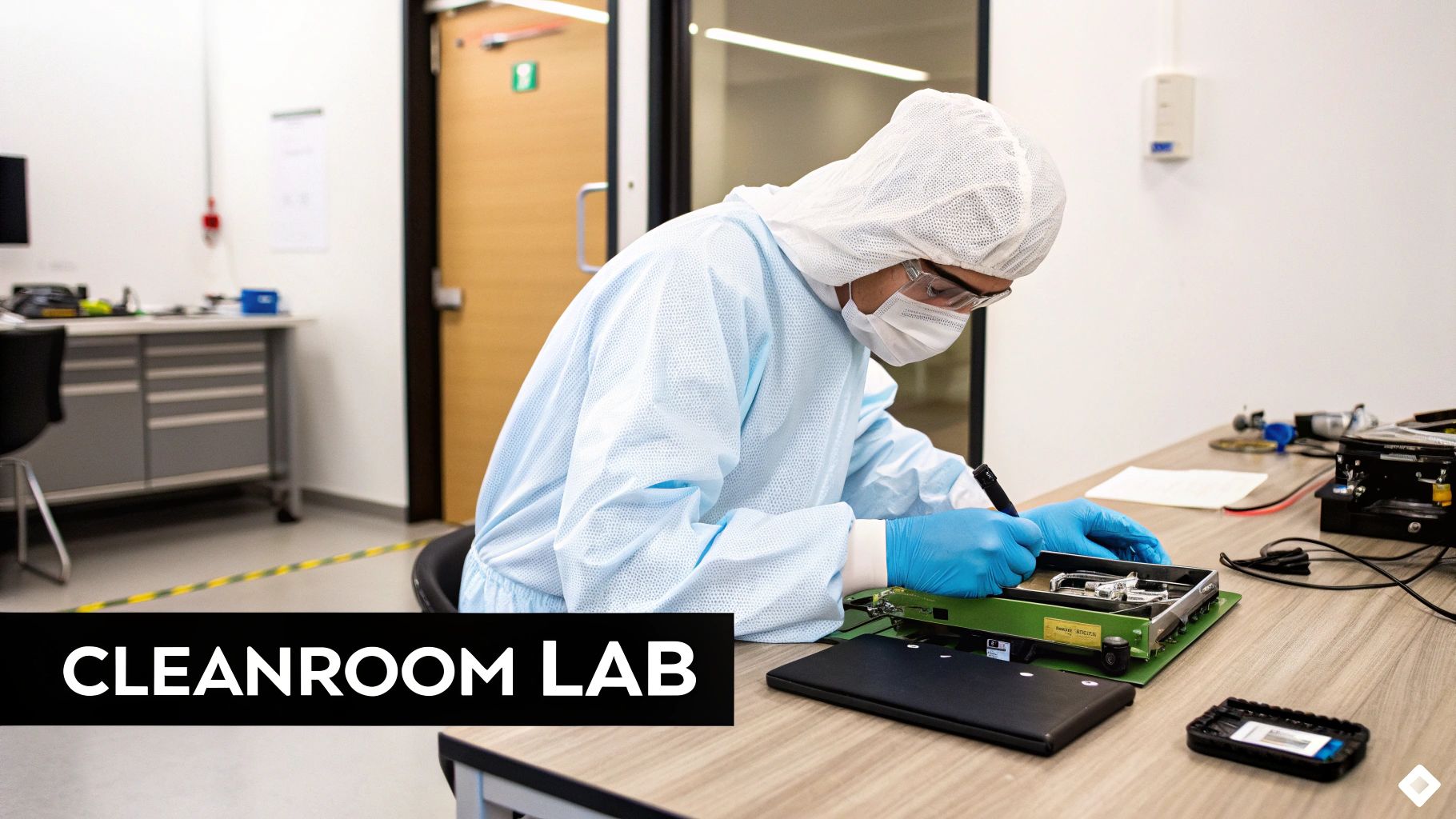
If the drive has suffered physical damage—maybe it was dropped or it's making a clicking sound—its next stop is the heart of the lab: a Class 100 cleanroom.
This isn't just a tidy workspace. A cleanroom is an ultra-filtered environment containing fewer than 100 particles (larger than 0.5 microns) per cubic foot of air. To give you some perspective, the air inside is thousands of times cleaner than in a hospital operating room.
So, why the extreme measures? Inside a traditional hard drive, the platters that hold your data spin at incredible speeds, often thousands of times per minute. The read/write heads hover just nanometres above the surface. A single speck of dust landing on a platter at that speed would be catastrophic, causing a "head crash" that could scratch the surface and permanently destroy your data.
It's inside this sterile cleanroom that Hamilton technicians can safely open the hard drive and perform what is essentially microscopic surgery. This might mean replacing failed read/write heads, swapping out a seized motor, or carefully transplanting the platters into a donor chassis.
Specialized Tools and a Library of Donor Drives
Beyond the cleanroom itself, a professional Hamilton lab is packed with equipment you just can't buy off the shelf. Technicians use firmware repair systems to fix a drive’s internal operating code. If this code gets corrupted, the drive won't even know how to function, making the data completely inaccessible.
A huge part of the physical recovery process relies on a massive library of donor drives. When a component like a circuit board or read/write head assembly fails, the team needs to find an identical match from a healthy drive. It's not enough to find the same model; they often need a drive from the exact same manufacturing batch to ensure the parts are perfectly compatible for the delicate transplant.
- Firmware Tools: These devices talk directly to the drive's service area, bypassing the normal computer interface to repair deep software problems.
- Component Swapping: Under a microscope, failed parts are meticulously replaced with matching ones from a donor drive.
- Platter Swapping: In the most severe cases, the data platters themselves can be moved into a working donor drive casing to be read.
This level of precision is similar to the data management strategies used by large organizations. Take the City of Hamilton, for instance. It modernized its IT infrastructure to dramatically improve its backup and recovery systems, cutting backup times from a staggering 12 hours down to just 10 minutes. The core principle is the same: using professional-grade technology and expertise to protect and recover critical data.
Ultimately, it’s this combination of a sterile environment, specialized tools, and years of experience that makes professional recovery worth it. It’s what separates a successful rescue from a failed DIY attempt that could make things worse. This is especially true for modern storage like SSDs and USB drives, which fail in entirely different ways. If you're struggling with one of those, you can learn more about our SSD, USB, and external drive recovery in Hamilton.
How To Choose The Right Hamilton Data Recovery Service
Let's be honest, not all services offering data recovery in Hamilton Ontario are created equal. When your photos, business files, or crucial documents are on the line, picking the right expert is everything. The right choice can mean the difference between a successful recovery and losing that data for good.
You're looking for a team with a solid track record, clear and upfront policies, and the proper professional facilities. Be wary of vague promises or surprisingly low flat-rate prices—those are often major red flags. Real data recovery, especially when physical damage is involved, is a complex science, and a one-price-fits-all approach just doesn't line up with the reality of the work.
Key Questions To Ask Any Hamilton Provider
Before you trust anyone with your device, you need to ask a few pointed questions. A truly reputable Hamilton-based company will have no problem giving you clear, confident answers.
- Do you have an on-site, physical cleanroom? This is non-negotiable for any kind of physical damage, like a dropped drive or one making clicking sounds. Get them to tell you about their lab in Hamilton.
- What happens if you can't get my data back? The industry standard is a straightforward "no data, no fee" policy. You should only pay if they successfully recover your files, not for the attempt itself.
- Can you show me real customer testimonials? Ask to see reviews from other people in the Hamilton area who faced a similar problem.
- Do you have experience with my specific device and problem? Getting data off a failed SSD is a completely different ballgame than recovering a RAID server or a standard laptop hard drive. Make sure they’ve handled your type of hardware before.
A professional service will always start with a free, no-obligation diagnostic. This evaluation determines the exact cause of failure and allows them to give you a firm quote before you commit to the recovery service.
Spotting The Red Flags
Knowing what to look for is only half the battle; you also need to know what to avoid. If a company seems evasive or makes promises that sound too good to be true, trust your gut. When choosing a data recovery provider in Hamilton, it's also a good sign if they offer comprehensive Data Backup and Disaster Recovery services, as it shows a deeper commitment to data integrity as a whole.
Another huge warning sign is the lack of a real, physical address in Hamilton. Some outfits are just middlemen who take your drive and ship it off somewhere else, which adds unnecessary delays and risk. Always confirm they have a local lab where the work will actually happen. Your data is far too important to leave to chance.
Your Hamilton Data Recovery Questions Answered

Losing your files is a stressful experience, and the last thing you need is a mountain of confusing technical jargon. When everything's on the line, you just want straight answers to your biggest questions. We’ve put together the most common queries we hear from folks looking for data recovery in Hamilton Ontario to give you the clarity you need.
Making a good decision starts with knowing what you’re getting into. Understanding the key factors—from cost and timelines to the privacy of your information—can take a lot of the anxiety out of the situation.
How Much Will Data Recovery Cost In Hamilton?
The honest answer is: it depends. The cost of data recovery isn't based on how much data you have, but on what's wrong with the device. No two recovery jobs are ever exactly the same.
A simple logical issue, like if you accidentally deleted a folder, might only cost a few hundred dollars to fix. On the other hand, a serious physical problem—think a hard drive with a crashed head that needs to be opened in a Class 100 cleanroom with specially sourced donor parts—could run over a thousand dollars. Any trustworthy service in Hamilton will always start with a free, detailed diagnostic and give you an exact, no-obligation quote before any work begins.
A quick word of warning: be very cautious of any company that throws out a flat-rate price over the phone without even looking at your device. This is a major red flag for any Hamilton service. It's impossible to price a recovery accurately without a proper diagnosis, and this approach often points to inexperience or a lack of transparency.
How Long Will It Take To Get My Data Back?
Just like the cost, the timeline is tied directly to the nature of the damage. Once you bring your device in, a standard diagnostic evaluation usually takes about 24 to 48 hours here in the Hamilton area.
After we know what we’re dealing with, a straightforward logical recovery can often be turned around in another one to three days. Physical recoveries, however, are a different beast. If the technicians need to track down a specific donor drive to replace failed parts, the whole process could take a week or even longer. For those in a real jam, most professional labs in Hamilton offer emergency or expedited services for an additional fee.
Is My Personal Data Kept Safe And Confidential?
Absolutely. For any professional recovery lab in Hamilton, your security and confidentiality are the top priorities. Technicians in Hamilton operate under very strict privacy policies and are bound by non-disclosure agreements to ensure your sensitive information stays protected.
Your device and its data are only handled in a secure, controlled lab. Our team will only access the bare minimum of data needed to confirm that the recovery was a success and that your important files are fully intact and working properly. Always make sure you choose a provider who explicitly guarantees the security of your personal and business files. For a deeper dive on this, you can check out our comprehensive data recovery FAQ section.
What If My Data Cannot Be Recovered?
While success rates are incredibly high, there are rare cases where data is simply gone for good. In that unfortunate situation, the best specialists in Hamilton stand by a strict "no data, no fee" policy.
This is your guarantee that you only pay if we get your data back. If the critical files you need can't be retrieved, you won't be charged for the recovery service. The only potential cost might be a pre-approved diagnostic fee (if one applies) or the shipping to return your device. It makes the entire process risk-free for you.
When you're dealing with data loss, you need a local, trusted expert who gives you clear answers and gets real results. Klimka Computer Solutions provides professional data recovery services in Hamilton with a commitment to honest, transparent, and effective work. If your data is at risk, contact us today for a free diagnostic and let's get your important files back. Visit us at https://klimkacomputersolutions.com.
2 Responses
[…] the worst happens, professional help is available. You can explore options for data recovery in Hamilton, Ontario, but setting up backups now is the best way to avoid ever needing that […]
[…] laptop repairs hamilton, our team is ready to step in. You can find out more about our specialized data recovery services in Hamilton, Ontario and see how we help protect what matters […]