
When your computer decides to act up in Hamilton, that feeling of dread is all too familiar. Your first instinct might be to frantically search for computer help near me, but hold on for just a moment. Taking a few minutes to play detective before you call in a Hamilton pro can make a world of difference, saving you both time and money down the road.
Figuring Out What's Wrong Before You Call

It’s easy to panic when your tech fails, but a little bit of clear-headed assessment goes a long way. Think about it from the perspective of a local Hamilton technician: a vague "my computer is broken" doesn't give them much to go on.
However, telling them "my laptop's battery dies after 20 minutes, even when it says it's fully charged" gives them a solid starting point. Providing specific details helps any local Hamilton repair shop give you a much more accurate initial quote and a better idea of the turnaround time.
Pinpoint the Main Symptoms
Try to nail down exactly what's happening. Is your computer making a strange, repetitive clicking sound? Does the problem only pop up when you try to open a specific program, like Photoshop or your web browser?
Sometimes, what feels like a major computer failure is actually just a finicky internet connection. If your WiFi keeps dropping, you might be able to troubleshoot common WiFi disconnection issues yourself before calling for backup from a computer service in Hamilton.
Most computer troubles fall into a few common buckets:
- Hardware Problems: These are physical issues you can often see or hear. Think a cracked laptop screen, a keyboard with dead keys, or weird noises coming from the tower.
- Software Glitches: This is where you'll find the dreaded "blue screen of death," programs that constantly crash, or error messages that pop up out of nowhere.
- Performance Issues: Maybe nothing is technically "broken," but your computer is just painfully slow. It might take forever to boot up or lag when you're just trying to browse the web in the Hamilton area.
To help you get specific, I've put together a quick checklist. Use this to organize your thoughts before you make the call to a local professional.
Quick Diagnostic Checklist for Your Computer Issues
This table can help you identify and describe your computer's problem clearly to a technician in Hamilton.
| Symptom | Possible Cause | What to Tell the Technician |
|---|---|---|
| Computer won't turn on at all (no lights, no sounds) | Power supply failure, faulty outlet, or motherboard issue. | "I pressed the power button, but there are no lights, fans, or sounds. I've already tried a different power outlet here in my Hamilton home." |
| "Blue Screen of Death" (BSOD) appears | Hardware conflict, corrupted driver, or failing RAM. | "I get a blue screen with an error code, especially when I'm playing games. Can I send you a picture of the error?" |
| Machine is running extremely slowly | Malware/virus, too many background programs, failing hard drive. | "My computer has been getting slower over the last month. It takes about five minutes just to start up and open a browser." |
| Loud clicking or grinding noises from the tower | Failing hard disk drive (HDD) or a fan is obstructed/broken. | "There's a loud, repetitive clicking sound coming from inside the case, and I'm worried about losing my files." |
Having this information ready makes the entire local repair process smoother for everyone involved.
The Single Most Important First Step
If your computer is still working, even if it's slow or buggy, stop what you're doing and back up your data. Right now. This is the one step you absolutely cannot skip.
Family photos, critical work files, that novel you've been writing—make sure it's all copied to an external hard drive or a cloud service before you let a technician in Hamilton touch your machine. If the problem is more severe and you can't access your files, the next conversation should be about how to safely fix the computer while prioritizing data recovery.
Takeaway: Never, ever hand over your device for a repair without being sure your data is safe. A good Hamilton-based technician will always ask about your backup status, but ultimately, protecting your personal files is your responsibility.
Finding a Trusted PC Repair Service in Hamilton
So, you've got a decent idea of what’s ailing your computer. Now comes the real challenge: finding the right person in Hamilton to fix it. Just typing "computer help near me" into a search bar is a bit of a lottery. A more targeted approach will get you much better, more reliable results right here in Hamilton, Ontario.
Your first stop should be tools built on real customer experiences. I always start with Google Maps. Zoom right into your part of Hamilton and see what shops pop up. The key here is to dig into the reviews, not just glance at the star rating. Look for recent comments from people who had problems similar to yours. A place with rave reviews for replacing a cracked laptop screen might not be your best bet for a complex data recovery job.
Look Beyond a Simple Google Search
As helpful as online searches are, never discount the power of a good old-fashioned recommendation. Ask around! Check with friends, family, or colleagues in the Hamilton area. A personal referral from someone you trust is often the surest way to find a technician who does honest work.
Local online communities are another fantastic resource. Hamilton-specific Facebook groups or Reddit forums can be absolute goldmines. Instead of a generic post, get specific. Try something like, "My gaming PC keeps overheating. Does anyone know a reliable repair expert in the Stoney Creek area?" You'll be surprised by the honest, unfiltered feedback you get from people in your local community.
Pro Tip: When someone gives you a recommendation for a local Hamilton service, dig a little deeper. Ask them: "Were they punctual?" "Did the final bill match the quote?" "Did they take the time to explain the repair in a way you could understand?" These details give you a much clearer picture than any five-star rating ever could.
Create Your Shortlist
Your goal here is to narrow it down to two or three solid local options. Once you have your list, spend a few minutes on each of their websites. Does it look professional? Do they clearly list the services they provide? This little bit of homework makes it easier to compare the top IT companies in Hamilton and pick one that feels like the right fit for you.
While Hamilton has a vibrant local tech scene, it's always interesting to see the bigger picture. In a massive tech hub like California, for example, there's a workforce of 69,030 computer repair technicians. You can discover more insights about the computer repair job market on careerexplorer.com.
Vetting a Technician So You Can Avoid Scams
Choosing a computer repair service in Hamilton isn't just about finding the closest shop—it's about trust. Think about it: you're handing over a device that holds your family photos, private emails, and maybe even your financial information. Taking the time to properly vet a local technician is the best way to protect your data and your wallet.
Before you hand over your machine, you need to ask a few smart questions. A great place to start is confirming their experience with your specific type of computer. A wizard with Windows PCs might not be the go-to expert for a MacBook problem. If you're an Apple user in Hamilton, it's worth asking about their skills with specialized Apple computer repairs.
This simple flowchart can help you narrow down your search for local computer help in the Hamilton area.
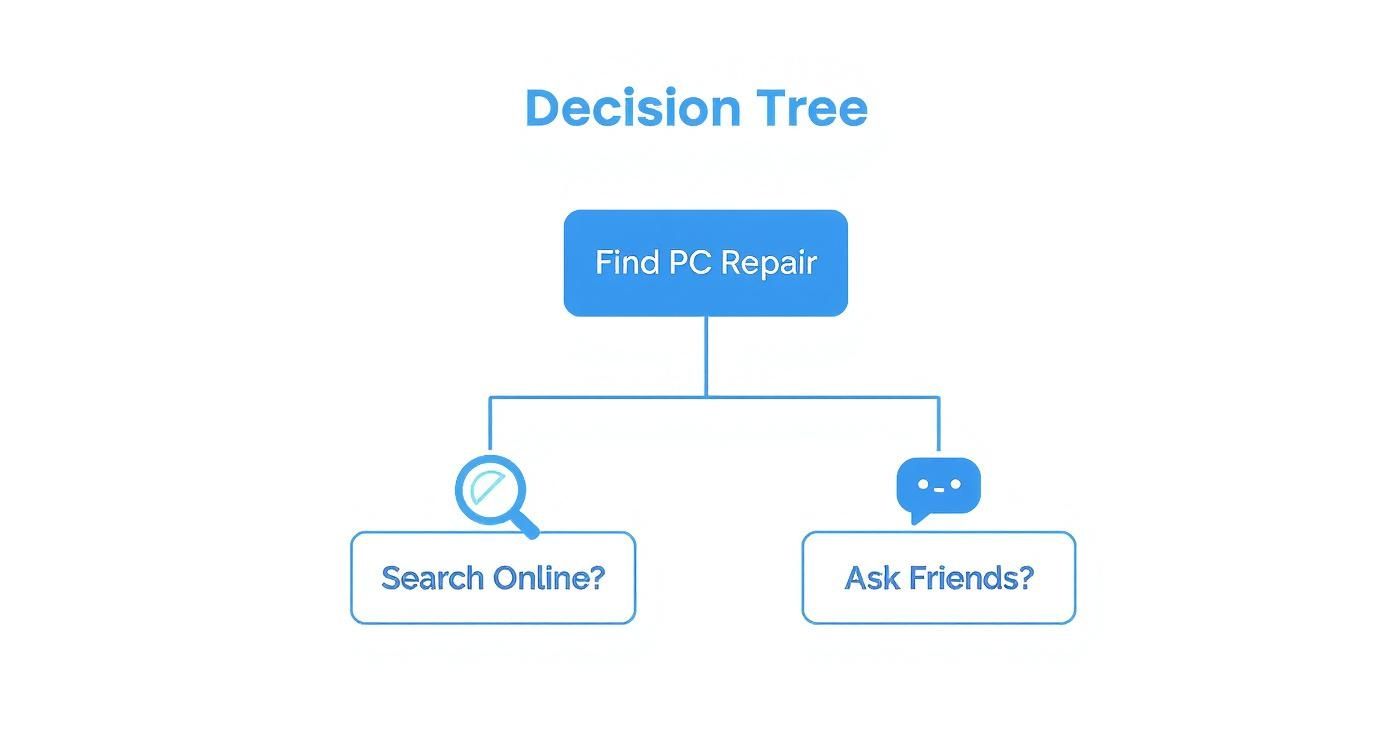
As the visual shows, the sweet spot is usually found by combining solid online research with a recommendation from someone you trust in your community.
Key Questions to Ask Any Hamilton Technician
I always recommend having a short list of questions ready before you even pick up the phone. This keeps you focused and makes it easy to compare different shops in Hamilton and spot any red flags right away.
Here’s what I’d ask:
- Do you charge for a diagnostic? Most shops do, and that's fair. The real question is whether that fee gets credited toward the final repair bill if you move forward with the work.
- What kind of warranty do you offer on parts and labour? Any reputable technician will stand behind their work. Here in Hamilton, a 30-day warranty is pretty standard, but don't be afraid to ask for more.
- Can I get a written estimate before you start? If they say no, walk away. A verbal quote is a recipe for surprise charges later on. A professional local shop will always put it in writing.
- Are you certified? Certifications like CompTIA A+ aren't mandatory, but they show a technician has invested in their skills and meets industry benchmarks for knowledge and professionalism.
The need for good technicians isn't going away. In fact, the computer repair field is expected to grow by 11.3% in the next few years. That means more choices for you as a Hamilton resident, but it also makes doing your homework more important than ever.
Here's my rule of thumb: If a technician seems cagey with their answers or tries to pressure you into a snap decision, they're not the one. The best local experts in Hamilton are upfront about their process and pricing because they're confident in the quality of their work. A few minutes of questioning can save you a world of headaches.
Decoding Repair Quotes and What You Should Expect to Pay in Hamilton
Getting a quote for a computer repair can feel a bit like reading a foreign language. To avoid sticker shock when you get the final bill, it helps to understand how shops in Hamilton typically price their services.
Most local repair businesses use one of two pricing models. For straightforward, common jobs—think virus cleanups or installing new software—many will offer a flat-rate fee. This is ideal because you know the exact cost upfront, regardless of how many hours the technician spends on it.
What About Labour and Diagnostic Fees?
When the problem is a bit more mysterious, like a laptop that refuses to power on, an hourly labour rate is the standard. This model covers the technician's time to dig in and find the real source of the trouble. What's a fair hourly rate? It varies across Hamilton, so your best bet is to call a couple of different places to get a feel for the going rate in our local area.
You'll also likely encounter a diagnostic fee, which pays for the initial assessment. This is a normal part of the business. Here’s a pro tip, though: a good, customer-friendly shop will often credit that diagnostic fee towards the final repair cost if you give them the green light to do the work.
Expert Insight: Never, ever agree to a repair without a written estimate. If a Hamilton shop is cagey about putting the costs on paper or gives you a vague "we'll see," that's a massive red flag. You're setting yourself up for hidden charges.
The need for skilled computer technicians is huge. The Electronic & Computer Repair Services industry is a surprisingly large part of the economy, which you can read more about on ibisworld.com.
As you gather a few quotes, pay close attention to the details. A trustworthy estimate will clearly itemize everything, separating the cost of parts from the cost of labour. For instance, you should see one line item for the new solid-state drive and another for the time it takes to install it and move your files over. That kind of transparency is how you know you're being treated fairly by a local business.
Getting Your Device Ready for a Professional Repair in Hamilton

So you've found a great local expert in Hamilton. Awesome. Before you rush out the door, taking a few minutes to prep your computer can make a world of difference. It's not just about making the technician's job easier; it's about protecting yourself and your data.
First and foremost, if you can still access your files, back everything up. I can't stress this enough. Think about your family photos, important work documents, and personal files—you don't want to risk losing them. If you're not sure where to start, our team can walk you through creating a secure data backup to give you complete peace of mind.
How to Make the Hand-Off Seamless
A smooth hand-off saves time and prevents any unnecessary headaches later on. Run through this quick checklist before you bring your device in to a Hamilton repair shop.
- Sign out of everything: Log out of your email, social media, online banking—any account that holds sensitive information.
- Unplug all the extras: Remove any USB receivers for your mouse, external hard drives, or other peripherals that aren't part of the problem. This prevents them from getting misplaced.
- Snap a few pictures: Take some photos of your laptop or desktop from a few different angles. It’s a simple way to document its physical condition before it leaves your hands.
Here's a pro tip: Instead of giving the technician your main password, create a temporary guest account on your computer. This gives them the access they need to run diagnostics and perform the repair without ever touching your personal files.
Common Questions About Local Computer Repair in Hamilton
Even after you've done your research, you'll probably still have a few questions lingering before you hand over your laptop. That's completely normal. Getting clear answers to these last-minute concerns is the final piece of the puzzle to feeling good about your choice of a Hamilton repair service.
One of the first things I always hear is, "How long is this actually going to take?" It's a fair question. For straightforward jobs like swapping out a cracked screen or putting in a new battery, a good local shop can often turn it around in a day or two, assuming they have the parts on hand.
But for trickier problems, like figuring out what’s wrong with a motherboard or performing data recovery, the timeline will be longer. Any Hamilton technician worth their salt will give you a realistic estimate from the get-go—no vague promises.
Is It Even Worth Fixing?
This is the big one: is it smarter to fix my old computer or just bite the bullet and buy a new one? There's no single right answer; it really comes down to the age of your machine and the price of the repair.
Here’s a rule of thumb I often share with clients in Hamilton: if the repair is going to cost more than 50% of what a new, comparable computer would, it’s probably time to think about upgrading. That said, if a relatively cheap fix—like upgrading to an SSD—can breathe new life into your machine for another couple of years, it's almost always a fantastic investment.
If your computer is truly beyond saving or you decide an upgrade is the way to go, remember to look into responsible computer disposal.
Takeaway: Your data privacy is paramount. A reputable service in Hamilton will have a crystal-clear policy on how they handle your personal information. Don't be shy about asking them to walk you through their process for keeping your data safe while they have your device.
The entire tech sector, including repair services, is a huge part of the economy. In a major hub like California, for example, it accounts for a staggering $542.5 billion in direct economic impact.
Finally, always, always ask about the warranty. Any shop that stands by its work will offer a guarantee on both parts and labour. A 30-day warranty is pretty standard in the Hamilton area, but some of the best places offer even longer terms. This is your safety net, ensuring that if the same problem pops up again soon, they’ll sort it out at no extra cost to you.
For more detailed answers to common issues, you can always check out our frequently asked questions.
6 Responses
[…] those of you in the Greater Toronto Area, finding reliable computer help near me is the best way to get a safe and efficient solution. Interestingly, when you're choosing a […]
[…] If you're curious about what makes a great local service stand out online, it's interesting to see how local businesses leverage local search to connect with customers like you. Our goal has always been simple: be the reliable, go-to team that Hamilton residents trust. For more tips on what to look for, check out our guide on finding computer help near me. […]
[…] Finding the right local shop means your MacBook Air gets the expert attention it needs. If you want more tips on finding a reliable technician in your area, take a look at our guide on finding computer help near me. […]
[…] personal. If you’re looking for fast and reliable help right now, check out our guide on finding computer help near you for some extra […]
[…] why a gaming PC is lagging. If you want more tips on finding the right expert, our guide on getting computer help near me is a great place to […]
[…] Ultimately, choosing the right technician isn't just about fixing a machine. It's about finding someone you can trust with your expensive hardware and your personal data. If you want to dig deeper into finding local support, check out our guide on getting computer help near you. […]