
A GPU support bracket is a simple but essential piece of kit designed to do one thing: prevent your graphics card from bending or drooping inside your PC. Modern graphics cards pack a serious punch, but they're also notoriously heavy. Over time, that weight can cause the card to sag, putting a dangerous amount of stress on your motherboard. For PC builders in Toronto, Hamilton, and across Ontario, this has become a common concern.
Understanding GPU Sag and Why It Matters
Picture a heavy book sitting on a long, thin shelf. Give it enough time, and gravity will eventually make that shelf bow in the middle. That's exactly what's happening inside your computer with GPU sag.
Your graphics card—often one of the most expensive parts of your build—is only secured at one end. It's held by the metal bracket screwed to the case and the PCIe slot it's plugged into. The rest of the card, loaded down with massive heatsinks and multiple fans, is just left hanging.
This constant downward pull isn't just a cosmetic problem that makes your build look sloppy. It's a real threat to the health and lifespan of your hardware. The strain can lead to serious, and sometimes permanent, damage.
The Real Risks of Ignoring GPU Sag
Letting a heavy GPU hang unsupported can cause a host of problems, from minor annoyances to complete system failure.
- PCIe Slot Damage: The PCIe slot is the main connection point. All that constant, uneven pressure can crack the solder joints holding it to the motherboard or even damage the plastic slot itself. This can lead to a spotty connection or a totally dead slot.
- GPU Circuit Board Stress: The sag can literally bend the card's printed circuit board (PCB). This flexing can create tiny, invisible fractures in the electronic pathways, causing instability, weird visual glitches, or a dead card.
- Cooling Inefficiency: While less common, severe sag can sometimes misalign the GPU's fans with your case's airflow. This can make cooling less effective and lead to your card running hotter than it should.
A GPU support bracket acts like a small, sturdy pillar, propping up the far end of your graphics card. It takes the weight off, eliminating the strain on both the card and the motherboard. It's a tiny investment to protect a much larger one.
This problem has only gotten worse as graphics cards have become more powerful. In Canada, the need for GPU support brackets has shot up right alongside the size of modern GPUs, especially for PC builders and gamers in cities like Hamilton, Burlington, and Mississauga. It’s not uncommon for high-end cards to be over 300 mm long and weigh more than 1.5 kg, making sag pretty much guaranteed without some kind of support.
For anyone in Hamilton upgrading their system, a simple bracket is cheap insurance for a major hardware purchase. Local shops will tell you it's one of the easiest ways to prevent long-term mechanical stress. You can see just how big the Canadian gaming market is over on Statista. This issue is just as critical in compact builds, where space is tight but powerful, heavy components are still the norm. You can learn more in our guide to Mini-ITX in Canada.
Comparing Different Types of GPU Support Brackets
Picking the right GPU support bracket isn't a one-size-fits-all deal. What works perfectly in one PC build might be a terrible fit for another. When you start looking, you’ll find a few common designs out there, and knowing the difference is the key to getting the right one for your rig, whether you're in downtown Toronto or a suburb of Hamilton.
For the most part, you'll be choosing between an adjustable support stand or a horizontal mounting bracket. They both solve the same GPU sag problem, just in different ways.
Adjustable Support Stands
Think of an adjustable support stand as a tiny, purpose-built jack for your graphics card. It’s a small pillar that sits on the floor of your case (or on top of the power supply shroud) and extends up to brace the unsupported end of the GPU.
- Pros: These are ridiculously easy to install, often without needing a single tool. Their universal design means they’ll fit in almost any PC case, as long as there's enough room.
- Cons: They can sometimes get in the way of airflow, especially if you have fans mounted at the bottom of your case. Aesthetically, they can also look a bit clunky and might throw off the clean lines of a meticulously planned build.
Not sure if you even need one? This quick decision tree breaks it down.
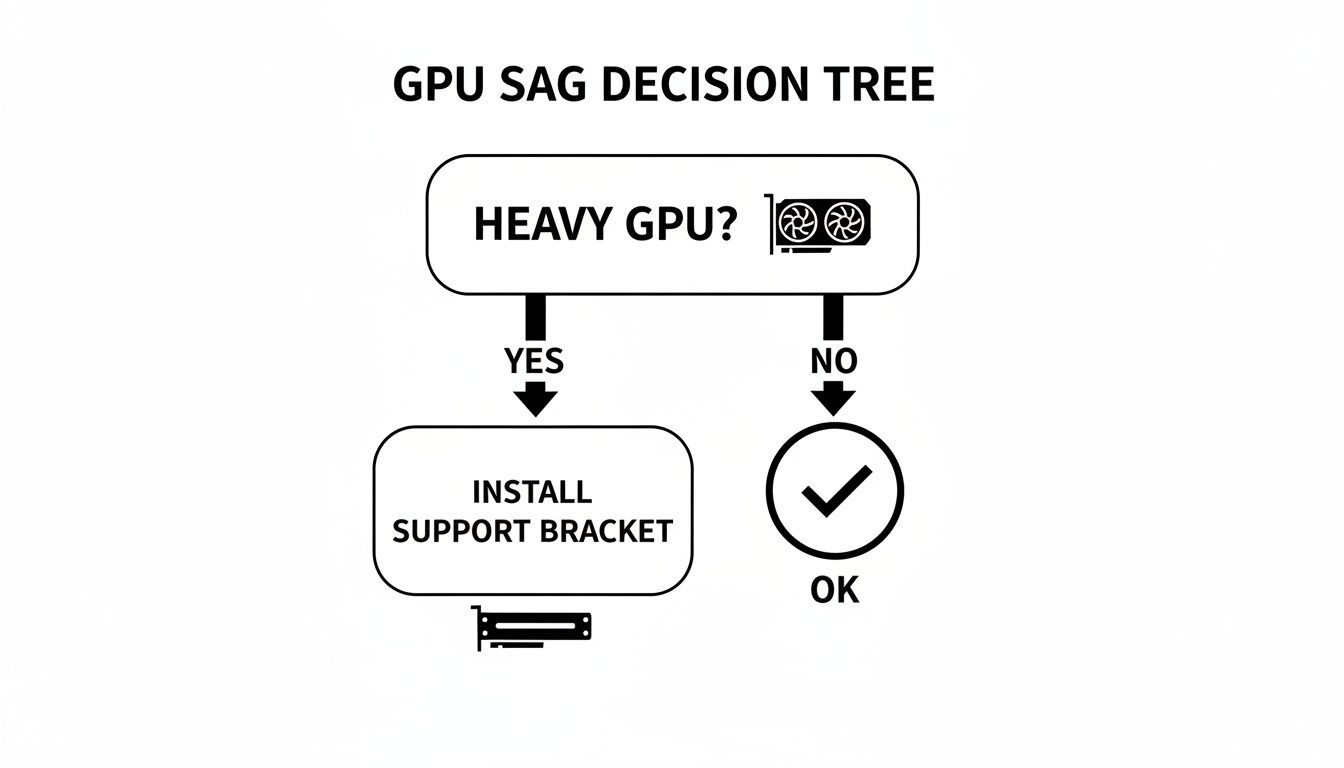
The logic is simple: if you've invested in a big, heavy graphics card, a support bracket is a smart, preventative measure to protect it from damage over time.
Horizontal Mounting Brackets
A horizontal GPU support bracket is a more integrated solution. It usually screws into the empty PCI-e expansion slots right below your graphics card. From there, it extends parallel to the GPU, using a small arm or pad to provide support from underneath.
- Pros: This style gives you a very clean, almost factory-installed look that a lot of PC builders in Hamilton really appreciate. Because it’s anchored directly to the case frame, the support it provides is rock-solid.
- Cons: Installation is a bit more hands-on since you have to screw it into place. You might also run into compatibility issues if your case doesn't have free expansion slots directly under your GPU.
It’s amazing to see how the humble GPU support bracket has evolved. What started as a simple piece of metal to prop up a sagging card has now become a potential aesthetic centrepiece of a high-end build.
This is especially true when you look at products marketed to Canadian PC enthusiasts. For example, you can find height-adjustable RGB stands on sites like Newegg.ca that do far more than just prevent sag. Many now come with features like real-time temperature displays or ARGB lighting that syncs with the rest of your system, proving that gamers across Canada care just as much about aesthetics and monitoring as they do about performance.
To help you decide, here’s a quick rundown of the most common bracket types.
GPU Support Bracket Type Comparison
| Bracket Type | Best For | Pros | Cons |
|---|---|---|---|
| Adjustable Stand/Pillar | Simplicity and universal compatibility. | Easy, tool-free installation; fits most cases. | Can obstruct airflow; might look out of place. |
| Horizontal Bracket | A clean, integrated look and sturdy support. | Very stable; blends in with the build. | More complex installation; requires free expansion slots. |
| RGB/Feature Bracket | PC builders who want both support and style. | Adds custom lighting and extra features. | More expensive; can add cable management complexity. |
At the end of the day, both major styles get the job done. Your choice will probably come down to what fits in your case, how much effort you want to put into installation, and what you think looks best.
The right bracket should complement the rest of your hardware. For more tips on picking the right parts for your system, check out our guide on the best gaming PC components.
How to Choose the Right GPU Support Bracket for Your Build
So, how do you pick the right support bracket? It's about more than just grabbing one off the shelf that looks cool. The perfect bracket slides into your system like it was always meant to be there, giving your GPU rock-solid support without getting in the way of anything else. Getting this right is your best insurance policy for that expensive graphics card.
Before you even start shopping, you need to get familiar with three things: the size of your graphics card, the layout inside your PC case, and your motherboard’s design. A bracket that’s a perfect match for a massive ATX tower could be completely useless in a smaller, more compact build. This is where a little prep work saves a lot of headaches for PC owners in Southern Ontario.
Measure Twice, Buy Once
Honestly, the most important thing you can do is measure the space inside your case. It sounds simple, but it's the one step that prevents the sheer frustration of getting a bracket that just won't fit. Grab a measuring tape.
Here’s what you need to check:
- Vertical Clearance: For the little adjustable stands, you’ll want to measure the gap between the bottom of the case (or the top of your power supply shroud) and the underside of your GPU.
- Horizontal Space: If you're looking at a bracket that screws into the case, make sure you have free PCI-e expansion slots right below your graphics card.
- Component Obstructions: Take a good look around. Are there any case fans, chunky cables, or hard drive cages that could block the spot where the bracket needs to go?
A classic mistake is picking a bracket purely on looks, only to discover it blocks a crucial fan or there's just no room to install it properly. Spending five minutes with a measuring tape can save you the hassle of a return.
Material Quality and Aesthetics
Once you have your measurements, you can start thinking about materials and style. The quality of the bracket’s material is a huge factor in how well it's going to do its job over the long haul.
Tough metals like aluminum or steel are your best bet for rigid, dependable support. While you can find plastic brackets, they sometimes warp or lose their strength over time, especially when they’re holding up a heavy, high-end card. For any PC builder in Hamilton looking for a long-term solution, a metal gpu support bracket is a smart investment.
And of course, looks matter. You can find everything from sleek, matte black brackets that blend right in to ones with full RGB lighting that steal the show. Just remember that flashy lights don't make a bracket stronger; a simple, sturdy support will always be better than a wobbly, colourful one. Keeping your components secure and cool is the goal. For more on cooling, you can dive into our guide on liquid cooling vs. air cooling.
A Step-by-Step Guide to Installing Your GPU Bracket
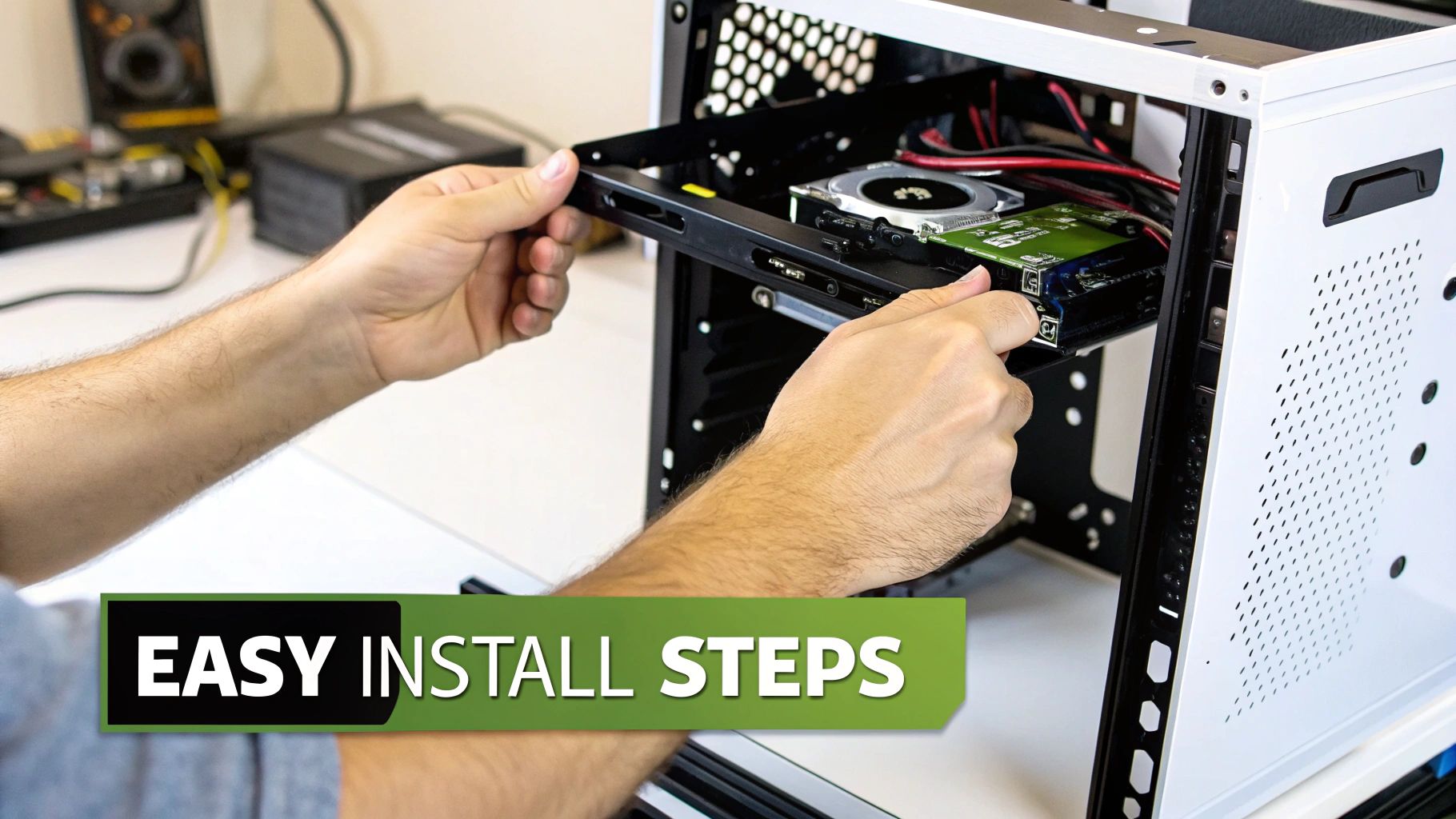
The thought of opening up your PC and tinkering with the expensive hardware inside can be a bit daunting. I get it. But trust me when I say that installing a GPU support bracket is one of the simplest and most satisfying upgrades you can perform.
This guide will walk you through it, step by step. The process is pretty much the same whether you're adding it to a computer you've had for years or incorporating it into a brand-new build. It's an especially crucial step if you're building a high-performance GPU mining rig, where every component needs to be perfectly seated for long-term stability.
Preparing Your System for Installation
First things first: safety. Before you even think about picking up a screwdriver, you need to prep your computer to avoid any costly "oops" moments.
- Power Down Completely: This isn't just about hitting "Shut Down" in your operating system. You need to flick the power switch on the back of your power supply to the 'Off' position and then physically unplug the cord from the wall. No shortcuts here.
- Ground Yourself: Static electricity is the silent killer of PC components. To be safe, touch a large, unpainted metal surface on your computer case before you start. This discharges any static you've built up. An anti-static wrist strap is a fantastic, cheap investment for peace of mind.
With the power off and static discharged, you can go ahead and remove the side panel of your PC case. Do yourself a favour and put the screws in a small dish or magnetic tray so they don't roll away.
Positioning and Securing the Bracket
Okay, you're inside the case. Now for the main event. The whole point is to gently lift the end of your graphics card so it sits perfectly level.
- Find the Sweet Spot: Place the support arm directly under a solid part of your GPU's frame or plastic shroud. Crucially, make absolutely sure it's not touching or getting in the way of any of the fan blades.
- Apply a Little Lift: Adjust the bracket until it makes firm contact with the card. You're not trying to aggressively jack it up, just provide enough support to take the weight and correct the droop.
- Lock It Down: Once it's in the right spot, secure the bracket according to its instructions. Give the GPU a very gentle nudge to confirm it’s stable and doesn’t have any wobble.
The goal is simple: your graphics card should be perfectly parallel to the bottom of the motherboard and case. When you look at it from the side, it should look straight and feel solid, with no downward sag at the end.
This might seem like a minor part of a larger build, but it's a vital one. If you're getting into the nitty-gritty of putting a whole system together, you should check out our comprehensive guide on how to build a gaming PC.
While most installations are a breeze, some compact cases can make it tricky. If you're feeling a bit out of your depth or just want it done right, don't hesitate to ask for help. A professional installation here in Hamilton is quick, affordable, and guarantees it's done perfectly.
Get Expert GPU Bracket Installation in Hamilton
Installing a GPU support bracket can seem like a straightforward DIY job, and for many people, it is. But sometimes, especially when you're dealing with a high-end graphics card, calling in a professional is the smarter play. For a flawless, stress-free installation that gives you total peace of mind, an expert touch makes all the difference.
A professional installation is about more than just propping up the card; it's about precision. An experienced technician knows exactly how to apply the perfect amount of support—enough to get your GPU perfectly level, but not so much that it puts new strain on the card or your motherboard. Getting that balance right is crucial for the long-term health of your components.
This is where a local expert like Klimka Computer Solutions comes in. We offer meticulous hardware installation services right here in Hamilton, Ontario, making sure every part of your rig is installed safely and correctly.
Why Professional Installation Matters
When you’ve invested in a high-value graphics card or a complex custom build, a small installation mistake can turn into a very expensive problem. A professional technician doesn't just install the gpu support bracket; they look at your entire system as a whole.
This includes proper cable management. Neatly routing cables around the new bracket isn't just for aesthetics. It genuinely improves airflow, which helps that powerful GPU stay cool when you're pushing it hard. If you've ever sought out reliable furniture assembly help, you understand the value of trusting an expert with something important. The same principle applies here.
A professional installation transforms a simple hardware addition into an integrated system enhancement. It’s the final polish that ensures your investment is protected and your PC runs at its best from day one.
As GPUs have gotten more powerful, the market for accessories like these has exploded. The rise of GPU support brackets as a must-have piece of hardware is directly linked to the growth of the graphics card market in Canada. This gives local repair shops a great chance to bundle these brackets with new GPU installations—a service we’re proud to offer to customers throughout the Golden Horseshoe.
Your Trusted Hamilton PC Experts
At Klimka Computer Solutions, we're Hamilton’s go-to crew for hardware upgrades, PC repairs, and full-on custom builds. We’ll make sure your GPU support bracket is installed with precision, protecting your rig’s most valuable component.
Don't leave it to chance. Protect your investment and get the most out of your build with our professional installation services. If you’re thinking about a brand-new machine, check out our custom gaming PC builder to see what we can create for you.
Get in touch with us today for an expert installation that gives you complete confidence in your setup.
Answering Your Questions About GPU Support Brackets
Even after getting the rundown, you probably still have a few questions buzzing around. That’s perfectly normal. After all, a decade ago, most of us never even thought about needing something to prop up a graphics card.
We’ve put together the most common questions we get from fellow PC builders right here in Hamilton to give you some clear, no-nonsense answers. Let's clear up any confusion and get you feeling confident about this little piece of hardware.
Do I Really Need a GPU Support Bracket?
This is always the first question, and the honest answer is: it all comes down to your specific graphics card. For smaller, lighter dual-fan cards, a GPU support bracket is probably overkill. They just don't have enough heft to cause any real trouble over time.
But when you get into the modern, beastly high-performance GPUs, it's a whole different story. If you’ve got a massive triple-fan card or any model that feels surprisingly heavy, a bracket is a cheap and incredibly smart investment. The easiest way to tell for sure? Install your card, close up your case, and look at it from the side. If you can see even a slight droop at the far end, it's time to get a bracket. It's the best way to prevent long-term damage to both the card and your motherboard.
Can a GPU Support Bracket Actually Damage My PC?
When it’s installed the right way, a support bracket is perfectly safe and a massive help to your system's long-term health. Its entire job is to take stress off your components, not add more.
That said, a bad installation can definitely cause problems. For example, if you place the support arm right under a fan, you’ll block it from spinning, which could burn out the motor. Another common mistake is applying way too much upward pressure—literally trying to bend the card back up. This just creates new and potentially worse stress points on the delicate circuit board.
The secret to a safe installation is to aim for gentle, firm support. You’re just trying to counteract the pull of gravity, not actively shove the card upwards. This is exactly why it pays to follow the instructions to the letter or get professional help from a local Hamilton service for a totally risk-free setup.
Will a GPU Bracket Improve My Gaming Performance?
In a word, no. A support bracket won't magically boost your frame rates or make your games run smoother. Its role is purely structural—think of it as preventative maintenance, not a performance upgrade like new RAM or a faster CPU.
What it does do is protect your future performance. By stopping the GPU from warping and damaging the motherboard's PCIe slot, it keeps your whole system stable for the long haul. A PCIe connection that’s been slowly failing from years of sag can cause all sorts of headaches: random signal loss, system crashes, and eventually, total component failure. In that light, a bracket is really just a cheap insurance policy to make sure your PC keeps running the way it's supposed to.
Are Expensive RGB Brackets Better Than Simple Ones?
If we're talking purely about function, the answer is a hard no. A simple, well-made metal bracket provides the exact same level of support as a fancy RGB-lit one that costs five times as much. The job is to hold the GPU level, and a basic design accomplishes that perfectly.
The price jump is almost always about looks and extra bells and whistles. You're paying a premium for things like machined aluminum, bits of tempered glass, and addressable RGB lighting that syncs up with your other components. If your only goal is to eliminate sag, an affordable, no-frills bracket will do the job just as well as the most tricked-out model on the shelf.
If you're in the Hamilton area and want to make sure your high-end graphics card is properly supported, let an expert handle it. At Klimka Computer Solutions, we offer professional hardware installation services to protect your investment and give you total peace of mind. Check out our site at https://klimkacomputersolutions.com to learn more or book a service.
No Responses