If you've been searching for "mini itx canada," you've stumbled upon one of the fastest-growing trends in PC building. It's all about packing a powerful, high-performance computer into an incredibly small case. This approach is a perfect fit for modern Canadian living, whether you're in a compact Toronto condo or setting up a minimalist home office out in Calgary. You get all the performance of a full-sized desktop without the bulky tower, a perfect solution for many Canadians.
Why Mini ITX Builds Are Booming in Canada
Think of a standard desktop PC like a reliable family sedan—it's spacious and gets the job done, but it sure takes up a lot of room in the garage. A Mini-ITX build, on the other hand, is like a high-performance coupe: it's compact, surprisingly powerful, and incredibly efficient. This small form factor (SFF) revolution is completely changing how Canadians look at personal computers.
At the heart of every Mini-ITX build is the motherboard, which measures just 17cm x 17cm. This tiny foundation is what makes the whole thing possible, allowing the entire system to fit into cases that are a fraction of the size of a typical mid-tower.
This image really drives home just how much space you can save. It's an obvious choice for anyone working with a small desk where every square centimetre is precious, a common scenario in Canadian apartments and homes.
The Appeal for Canadian Builders
The love for Mini-ITX in Canada isn't just about saving space. The global market has ballooned to over USD 2.1 billion, and Canadian builders are a big part of that wave, driven by a need for computing solutions that are both powerful and versatile. You can dive deeper into the global Mini ITX market trends on growthmarketreports.com.
For most people, the appeal comes down to a few key things:
- Portability: A compact Mini-ITX build is a breeze to carry over to a friend’s place for a gaming session or a LAN party—a popular pastime in Canadian hubs like Montreal and Vancouver.
- Aesthetics: Let's be honest, SFF PCs just look clean. They help create those minimalist desk setups that fit right into a modern Canadian home office or entertainment centre.
- The Challenge: There's a real sense of satisfaction that comes from carefully engineering a beast of a machine within such tight constraints. It's a fun challenge that hobbyists all across Canada are really getting into.
For many enthusiasts in Canada, building a Mini ITX PC isn't just about the final product; it's about the intricate process of fitting high-performance components into a tiny, elegant package. It’s a puzzle that demands creativity and precision.
It's a journey that blends technical skill with a bit of artistic design, leaving you with a personalized computer that’s as powerful as it is beautiful. If you're just getting started in the world of PC building in Canada, our detailed guide on how to build a gaming PC is the perfect place to learn the fundamentals before tackling your first SFF project.
Choosing Compatible Mini ITX Components in Canada
Building a Mini ITX PC is a bit like playing a high-stakes game of Tetris. Every single piece has to slot in perfectly. Unlike a standard PC build where you have plenty of breathing room, Small Form Factor (SFF) systems leave no room for error. You have to meticulously plan to make sure your components don't physically clash or turn your tiny powerhouse into a tiny oven. This is especially true for us here in Canada, where we often have to source parts from a handful of different Canadian retailers.
The whole process starts with the motherboard. This little 17cm x 17cm square is the foundation for everything that comes after, and its layout is king. You need to look closely at where the CPU socket sits, how the RAM slots are positioned, and the size of the board's heatsinks. These details will directly influence your choice for the most crucial part of any SFF build: the CPU cooler.
The Balancing Act of SFF Parts for Canadians
One of the most common rookie mistakes is picking a beastly CPU cooler that ends up being too tall for the case. Another classic slip-up is getting a cooler that hangs over the RAM slots, making it impossible to install your memory. It's the same story with graphics cards—that top-tier GPU might deliver incredible frame rates, but it's useless if it’s a few millimetres too long for your chassis.
To sidestep these expensive headaches, a bit of online homework in Canada is non-negotiable.
- PCPartPicker: Make sure you set the region to Canada. This will show you local prices and what’s actually in stock. The tool is a lifesaver for flagging obvious compatibility issues like CPU socket mismatches and some basic clearance problems.
- Manufacturer Specs: Always, always visit the case manufacturer’s official website. They will list the maximum CPU cooler height and GPU length right there on the product page. Trust those numbers.
- Community Builds: Check out Canadian forums and Reddit. Seeing what other Canadian builders have successfully crammed into the same case can give you a ton of real-world insight and inspiration.
This is the core appeal of the Mini ITX form factor—the challenge of balancing space, power, and portability in one tiny package.
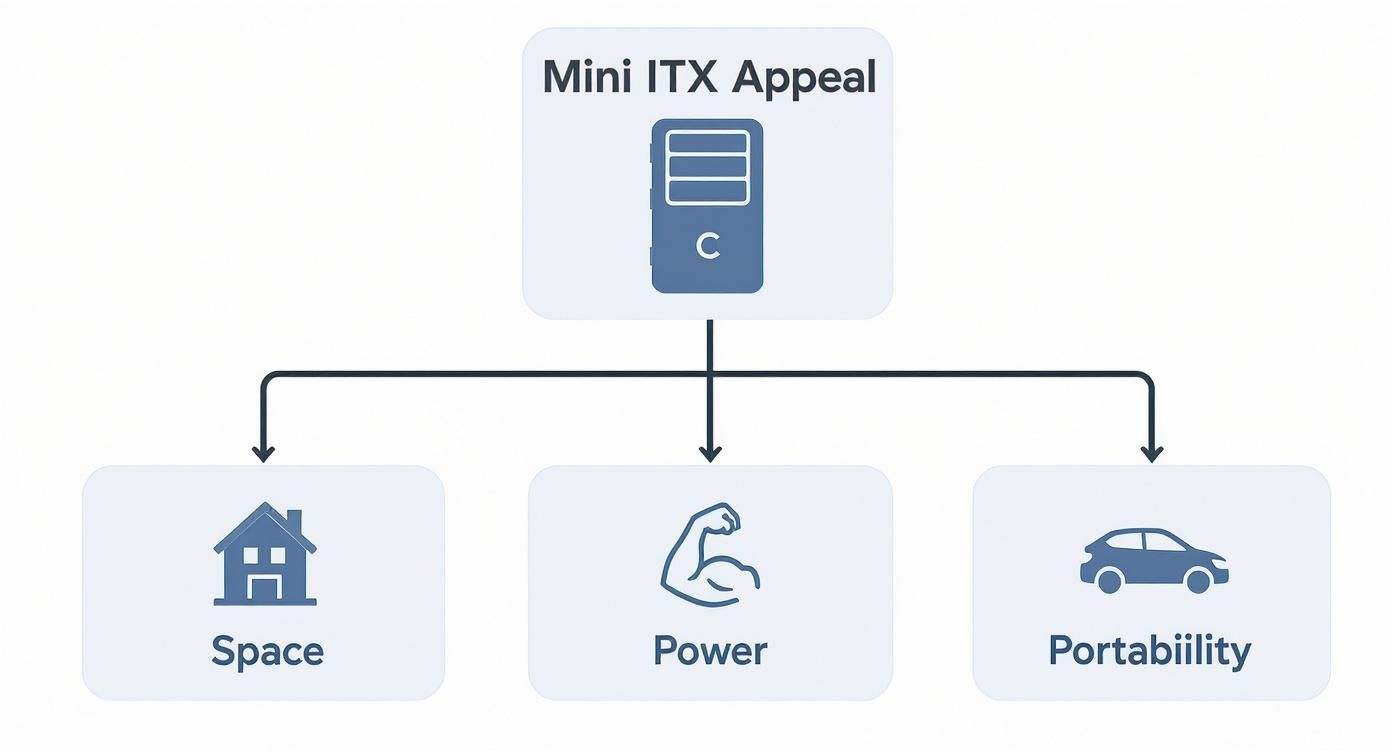
As the image shows, you're chasing a blend of benefits, and that requires careful component choices that honour all three goals.
Power and Storage Considerations
Your power supply unit (PSU) is another make-or-break decision. Most Mini ITX cases can't fit a standard ATX PSU, so you'll be looking for a smaller SFX or the slightly longer SFX-L model. Make sure it provides enough wattage to handle your components (especially the GPU!), and seriously consider a modular PSU. The ability to detach unused cables is a godsend for reducing clutter and improving airflow in such a cramped space.
Storage needs some forethought, too. While most cases have a spot for a 2.5-inch drive, M.2 SSDs are the real MVP in a small build. They plug directly into the motherboard, which means no extra power or data cables to wrestle with. This clean setup makes a huge difference for airflow. If you want to learn more about how storage choices affect your rig, check out our guide on the benefits of an SSD vs HDD for gaming.
To help you keep track, here’s a quick-reference table for your Canadian build.
Mini ITX Component Compatibility Checklist for Canada
This checklist is a starting point to make sure your key components will play nicely together inside that tiny chassis.
| Component | Key Compatibility Check | Canadian Pro-Tip |
|---|---|---|
| Case | Check manufacturer specs for max GPU length, CPU cooler height, and PSU type (SFX/SFX-L). | Check stock at Canada Computers or Memory Express first. Niche SFF cases often require ordering from US sites. |
| Motherboard | Ensure it has the correct socket for your CPU (e.g., AM5 for modern AMD, LGA 1700 for Intel). | Z-series (Intel) or X/B-series (AMD) boards offer the best features. A-series boards are budget but very limited. |
| CPU Cooler | Height must be less than the case's maximum clearance. Check for RAM and VRM heatsink conflicts. | Noctua's low-profile coolers are popular and effective, but be sure to get the right model for your socket. |
| Graphics Card | Length, width, and height (slot thickness) must all fit within the case's specified dimensions. | "Founder's Edition" or dual-fan cards are often shorter and a safer bet than massive triple-fan custom models. |
| PSU | Must be the correct form factor (SFX or SFX-L). Ensure enough wattage for your CPU/GPU combo. | Go modular! The extra cost is worth it for cable management. Look for Canadian-available brands like Corsair (SF series) or Seasonic. |
| Storage | M.2 SSDs are ideal for saving space. Confirm the case has mounts for any 2.5-inch drives you add. | M.2 drives are frequently on sale at Best Buy Canada or on Amazon.ca. Prioritize a fast NVMe drive for your OS. |
Think of this as your pre-flight checklist. Running through it before you click "buy" can save you a world of hurt.
Ultimately, picking parts is a series of calculated trade-offs. You're constantly balancing thermal performance against raw power and pure physics. For a broader look at the fundamentals of putting a PC together, a good general PC build guide can be really helpful. Taking that extra time to plan is what separates a smooth, successful Canadian build from a pile of incompatible parts.
Where to Buy PC Parts in Canada
Sourcing components for your mini-ITX Canada build is an adventure, and honestly, it’s a bit different up here in Canada than it is in the States. But if you know where to look and what to watch out for, you can absolutely get everything you need without blowing your budget. The trick is to know our local players and to understand the true cost of ordering from across the border.

Your first instinct should be to check out our major Canadian retailers. It just makes life easier. You get local Canadian shipping (sometimes even same-day pickup in cities like Toronto, Vancouver, or Calgary), you see prices in Canadian dollars, and you’re dealing with customer service that gets the local landscape.
Major Canadian Retailers
When you start digging around for parts in Canada, a few key names will keep popping up. Each has its own vibe and specialty, from huge inventories to amazing in-person service.
- Canada Computers & Electronics: These guys have brick-and-mortar stores all over Canada, making them a super convenient option for many builders. Their stock of niche SFF cases can be a bit hit-or-miss, but you can often find great deals on the essentials like RAM and SSDs.
- Memory Express: Originally a Western Canada staple, "MemEx" has been making its way east for a good reason. They're legendary for top-notch customer service and a solid price-matching policy, and they usually have a decent selection of those hard-to-find Mini-ITX parts we’re all after.
- Newegg.ca: As the Canadian branch of the online tech giant, Newegg offers a massive selection. The one thing to watch out for is third-party sellers. Always double-check that an item is "Shipped from Canada" if you want to dodge unexpected duty fees.
The real secret to saving cash in Canada is a mix of patience and persistence. Use price-tracking sites and get on the email lists for these Canadian stores. Nailing a good sale on a CPU or GPU can free up a huge chunk of your budget for the other parts on your list.
If you're still in the early stages and figuring out what to buy, our guide on the best gaming PC components is a great starting point for your Canadian shopping list.
The Hidden Costs of Ordering from the US to Canada
It happens. You find that perfect, rare Mini-ITX case, but the only place that has it is in the US. The price might look great at first, even with the exchange rate, but you have to calculate the total landed cost before you get too excited.
This final cost is way more than just the item price and shipping. In Canada, any package valued over $40 CAD can get hit with taxes and duties. When it's shipped with a courier like UPS or FedEx, you can bet you’ll be paying for:
- Import Duties: A tariff based on what the product is.
- GST/HST: Your provincial sales tax, which gets applied to the item's value plus the duties.
- Brokerage Fees: This is the big one. It's the courier's fee for handling the customs paperwork, and it can easily tack on an extra $20-$50 (or more!) to your bill.
These fees can quickly turn a sweet deal into a costly headache for any Canadian buyer. My advice? Always try to find a US retailer that calculates and collects these fees upfront at checkout. That way, you avoid the nasty surprise of a big bill when the delivery truck pulls up. If you're looking for more general resources on component deals, the Clearance Central Canada homepage is a good place to poke around.
Mastering Thermals in a Small Form Factor Case
Heat is the natural enemy of any high-performance PC, but in a small form factor (SFF) build, it’s a whole different ball game. When you cram powerful components into a tight space, managing that heat becomes a critical puzzle. Nail it, and you’ll have a whisper-quiet powerhouse. Get it wrong, and you’re looking at a noisy, overheating machine that’s constantly throttling itself.
https://www.youtube.com/embed/5otA5XGcS_s
The physics are pretty straightforward: high-end parts make a lot of heat, and a tiny case has very little room and few fan mounts to get rid of it. This makes your choice of cooler one of the most important decisions you'll make for the entire build, especially for a mini itx build in Canada.
Air Cooling vs Liquid Cooling in Canada
For a lot of SFF builds in Canada, a good low-profile air cooler is the perfect fit. You can’t go wrong with brands like Noctua or be quiet!, which make fantastic coolers designed specifically for the tight confines of a mini-ITX chassis. They're dead reliable, simple to install, and more than capable of handling most mid-range CPUs.
But what if you're dropping in a top-tier CPU or want your rig to be as silent as possible? That’s where a small All-in-One (AIO) liquid cooler comes into play. A compact 120mm or 140mm AIO can be a game-changer. It pulls heat directly off the CPU and moves it to a radiator mounted right at an exhaust point, getting it out of the case immediately. This strategy often keeps the CPU much cooler when it's under serious load. If you're on the fence, our guide offers a deep dive into the differences between liquid cooling and air cooling.
Your case’s specific layout is what really steers your cooling strategy. You have to think carefully about airflow—where cool air comes in and where hot air goes out. A clear, unobstructed path is essential to prevent pockets of hot air from building up and cooking your components.
Power Supplies and Cable Management
Picking a power supply for a mini-ITX Canada build isn't just about wattage. You absolutely need an SFX or SFX-L model, which is a fraction of the size of a standard ATX power supply. It’s also a really good idea to spring for a high-efficiency model, like an 80 Plus Gold or Platinum unit. The more efficient it is, the less heat it dumps back into your already crowded case.
These kinds of compact, high-performance builds are blowing up in popularity across Canada. In fact, North America, with Canada being a significant part, represents a huge chunk of the global mini-ITX market, thanks to so many people building powerful gaming and work-from-home PCs.
Cable management is just as crucial. A modular SFX power supply isn't a luxury; it's a necessity. It lets you connect only the cables you absolutely need, which is massive for cutting down clutter and, more importantly, clearing a path for air to actually flow.
- Custom Cables: For the cleanest possible build, think about getting custom-length cables. They’re made to the exact dimensions of your case, so there's zero extra slack to deal with.
- Zip Ties and Routing: Use small zip ties to neatly bundle your cables. Tuck them along the edges of the case, away from fans and major airflow paths.
- Fan Curves: Don't forget to dive into your motherboard's BIOS and set a custom fan curve. This lets you tell your fans exactly when to spin up, giving you the perfect balance between cooling power and noise.
Finding Local PC Building Experts in Canada
Let's be honest: building a Mini-ITX PC is a fantastic project, but it can also be incredibly fiddly. We're talking about a world where every single millimetre counts. If you want the perfect result without the headache, sometimes calling in a professional is the smartest move you can make.
Across Canada, from Vancouver to Halifax, there are local experts who specialize in these small form factor (SFF) builds. They genuinely enjoy the puzzle of fitting powerful components into a tiny space. For you, it means turning a potentially stressful project into a smooth and exciting reality.
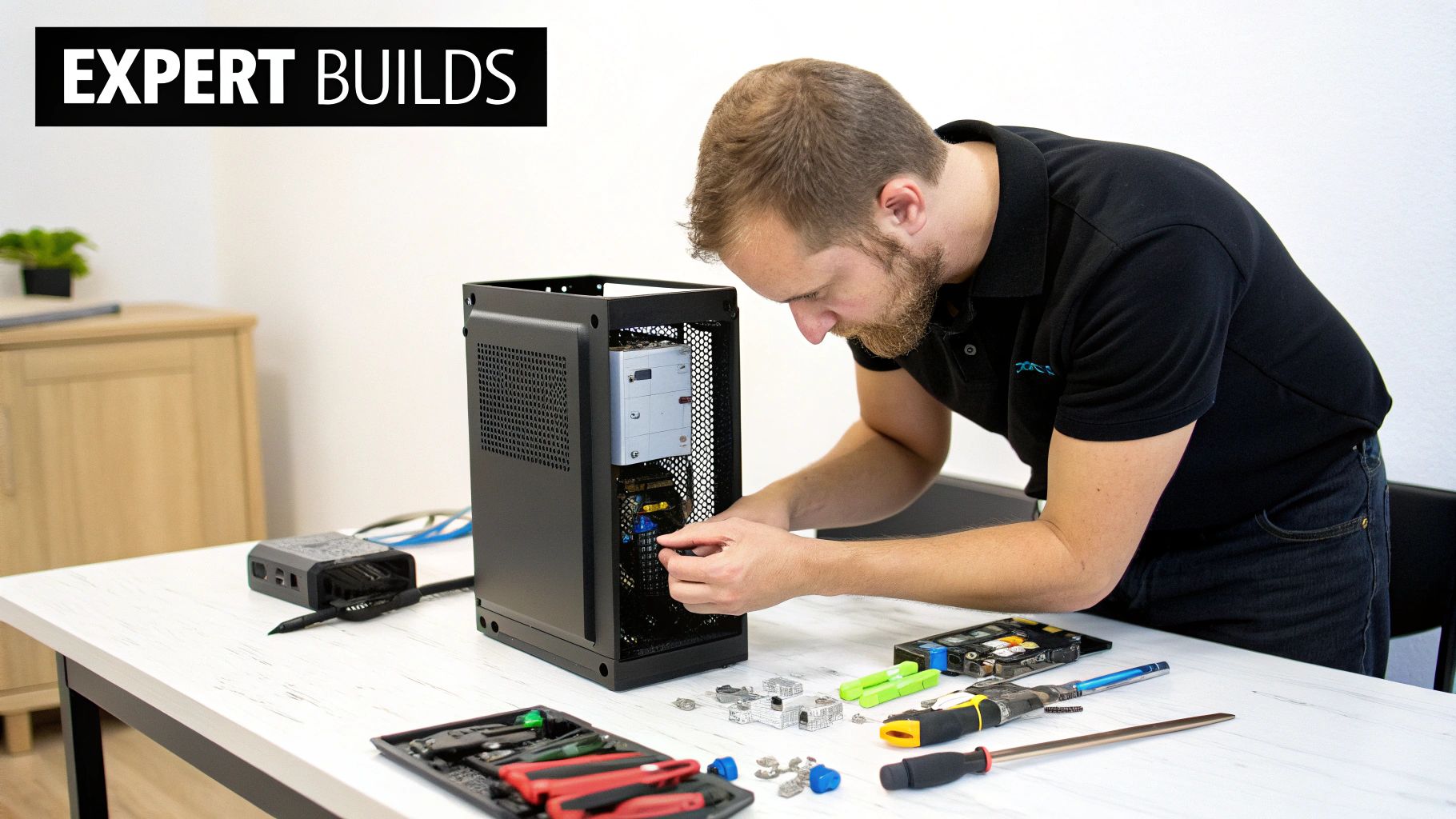
Working with a pro isn't about admitting defeat; it's about leaning on their hard-won experience. They know which specific CPU cooler will actually fit with that motherboard's heatsinks, and they have the patience of a saint when it comes to cable management—a critical step for ensuring good airflow in a cramped case.
A Hamilton Example: Klimka Computer Solutions
If you’re in the Greater Toronto and Hamilton Area (GTHA), a local Canadian shop like Klimka Computer Solutions is a great real-world example of what this partnership looks like. They’re dialed into the needs of custom PC builders, especially for anyone tackling a tricky mini ITX Canada build.
So, what do you actually get when you work with a Canadian expert?
- Custom Consultations: Before you even buy a single part, a pro can review your list. They’ll spot potential compatibility issues—like a GPU that's 2mm too long for your chosen case—saving you from costly mistakes.
- Expert Assembly: Building in an SFF case is an art form. A professional has the experience and steady hands to route every cable cleanly and install components without risking damage. No more scraped knuckles or bent pins.
- Stress Testing and Setup: A professional build isn't finished until it's battle-tested. They'll run intensive stress tests to check system stability and temperatures, making sure your new machine runs cool and reliably right out of the box.
Partnering with a local Canadian builder transforms the process from a solitary struggle into a guided experience. You get their expertise in sourcing parts, navigating tricky installations, and solving problems that would have most DIY builders pulling their hair out.
Ultimately, this approach saves you a ton of time and gives you confidence that your investment was put together by a professional. Whether you're in Hamilton, Ontario or anywhere else in Canada, finding a local expert can be the key to creating your dream SFF PC.
If you're considering your options, our guide on finding computer help near you offers some great tips on what to look for in a professional service.
Got Questions About Your Canadian Mini-ITX Build? We've Got Answers.
Jumping into your first Mini-ITX project can feel a little daunting, even with a good plan. You’re bound to have questions, especially when building here in Canada. Let's tackle some of the most common ones we hear from fellow Canadian builders to help you sidestep those tricky spots and build with confidence.
Can a Little Mini-ITX PC Really Handle Serious Gaming?
You bet it can. It’s a common myth that small size automatically means weak performance, but that idea is long outdated. A smartly planned Mini-ITX rig can pack some serious hardware, including high-end graphics cards and beefy CPUs, making it perfectly capable of crushing AAA games at high settings. The real trick is choosing components that play nice together to keep the heat in check.
For instance, fitting an NVIDIA RTX 4070 and a powerful AMD Ryzen 7 or Intel Core i7 processor into a popular small form factor (SFF) case is totally doable. That's a powerhouse combo for gaming, streaming, or content creation, all in a box that won't dominate your desk space.
Can I Upgrade a Mini-ITX Build Down the Road?
Yes, but it takes a bit more planning than with a big, roomy tower. Space is your most valuable resource here, so you have to be conscious of every millimetre. If you want to swap out your GPU later, you’ll need to double-check the new card’s length, width, and height to make sure it physically fits inside your case.
To make future upgrades less of a headache, think ahead:
- Power Supply: Grab an SFX power supply with a little more wattage than you need right now. This gives you the headroom for a more demanding GPU or CPU upgrade later without needing to rewire everything.
- Motherboard: Don't skimp on the motherboard. Pick one with features you might want in the future, like Wi-Fi 6E or a second M.2 slot for more super-fast storage.
- Case Selection: Some SFF cases are more forgiving than others. Do a little research—cases known for their flexible layouts and component compatibility can be a real lifesaver when it's time to upgrade.
Are Mini-ITX Parts Just More Expensive in Canada?
Sometimes they are, but it’s not a hard-and-fast rule. You might pay a premium for niche SFF cases or specific low-profile coolers, and they can be harder to find in stock in Canada. That said, most of the core components like CPUs, RAM, and SSDs are priced competitively across Canada. The good news is that these builds are getting more popular, which is helping to bring prices down and availability up.
In fact, the Canadian market for Mini-ITX motherboards is on a steady climb, with analysts projecting a 4.2% compound annual growth rate. This demand, driven by Canadian gamers and work-from-home professionals, is pushing more retailers to stock a better variety of SFF parts. You can dig into the numbers in this Mini-ITX market trends report from Cognitive Market Research.
My best advice for Canadians? Shop around. Check prices at major Canadian retailers like Memory Express and Canada Computers, but also keep an eye on online stores. Just be sure to factor in shipping and sales tax to get the true final cost.
Do I Need a Bunch of Special Tools for a Mini-ITX Build?
You don't need a whole new professional toolkit, but a few specific items will make your life so much easier. Working in these tight quarters is all about patience and precision, and the right tools make a world of difference.
Here are the essentials I wouldn't build without:
- A magnetic-tip screwdriver: This is a non-negotiable. Trying to guide a tiny screw into a deep, dark corner of a case is maddening without one.
- Small zip ties or velcro straps: Cable management is absolutely critical for airflow in an SFF case. Taming the cable monster is a must.
- A headlamp or a small flashlight: It gets surprisingly dark inside a compact chassis. Good lighting is key to actually seeing what you’re doing.
These things are cheap, but they are worth their weight in gold for any mini ITX Canada build. They can turn what could be a frustrating chore into a genuinely fun and rewarding challenge.
Ready to build your dream compact PC but want an expert's touch? At Klimka Computer Solutions, we specialize in custom Mini-ITX builds, meticulous assembly, and professional troubleshooting for clients in Hamilton and the GTHA. Let us handle the complexities so you can enjoy a flawless, high-performance machine. Visit us online to start your consultation!
One Response
[…] For anyone in Hamilton upgrading their system, a simple bracket is cheap insurance for a major hardware purchase. Local shops will tell you it's one of the easiest ways to prevent long-term mechanical stress. You can see just how big the Canadian gaming market is over on Statista. This issue is just as critical in compact builds, where space is tight but powerful, heavy components are still the norm. You can learn more in our guide to Mini-ITX in Canada. […]